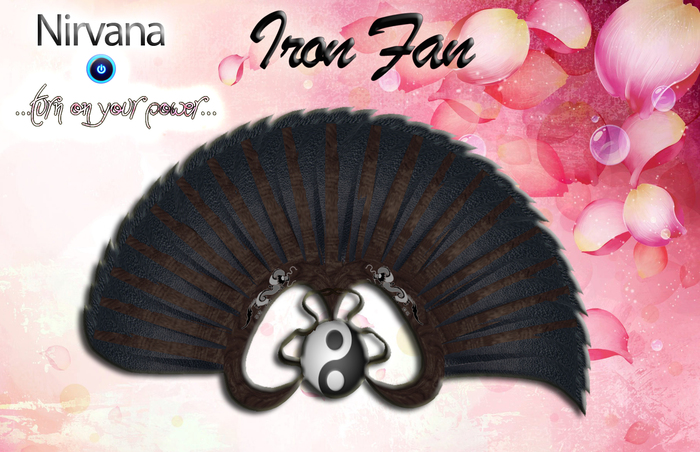


===Iron Fan ===
In the box you will find:
Iron Fan (Draw)
Iron Fan (Sling)
Iron Fan Notecard
Works in Mouselook & Third person view
------------------------
This version is designed so that the melee animations operate while in mouselook mode and having the melee state enabled in the weapon.
Note: Not all combat meters register damage while in mouselook, so please be aware of this.
The weapon should be attached to the hands as all the animations have been created to use these points.
Great care has been taken into scripting this weapon for the best possible melee combat even under laggy conditions.
Features:
Ultra-Fast Scripts:
The weapon is scripted to cause 0 lag to you and the sim, enjoy watching how you do damage while the others lag.
Melee range: approx 3 meters
Compatible with: LARPS, CCS, WARPS, DCS2, BYT, FCRM
Resize:
Upon rezzing the weapon you will be given the option to resize your weapon. Once you size the weapon to your specifications, you can delete the scripts with the appropriate option. The resizer works only upon rezzing the Fan. You don't have to worry if you accidentally click on your fan while fighting. Doing a backup is strongly suggested.
>>>>ATTENTION<<<<
ONCE YOU SIZE THE WEAPON TO YOUR SPECIFICATIONS, DELETE THE SCRIPTS WITH THE APPROPRIATE OPTION (LOOK AT THE MENU)!!!!!!!
Commands are done from chat or channel ./199 .
BASIC COMMANDS
draw - pull out sword. DEFAULT.
sling - sheaths the sword.
aon - Activate the Idle Animation. DEFAULT
aoff - Deactivate the Idle Animation.
reset - Resets the weapon.
VOLUME
vol x - integer, 0-100, volume of the weapon sounds. 100 DEFAULT.
*If you active the gestures, you just need to type "d" for draw and "f" for sheath the sword.
While the mouse button is held down, press a arrow key or WASD on your keyboard.
Left or A
Right or D
Up or W
Down or S
..This is a Left Handed Weapon.. so you can use your favorite gun with it ;)
Ver el artículo en Second Life- Fast Scripts.
- Resizer.
- Volume Changer.
- ...and much more..


