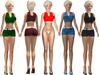
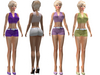
OnP Mesh Maitreya Shorts Outfit
Note: Only designed for Maitreya avatars
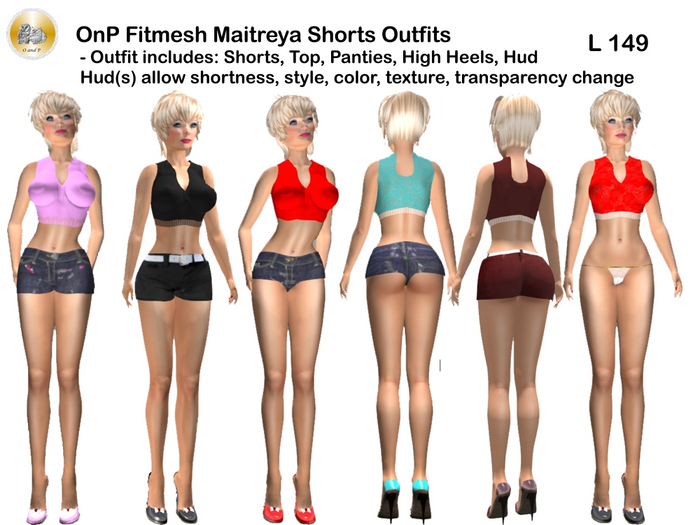
Description: This includes a full outfit that works together, meaning that the panties are designed to work under the shorts just as in real life. We also include an extra pair of high heels that can work with our nylons, and perhaps some others. It includes two HUDs, one main one and one for the shoes, that allow much control over color, textures, transparency and more. The HUD allows for two styles of jean shorts, and eight outfit colors of fashion shorts. It also allows 3 cuts of shorts, shorter, and shortest, in addition to color tint, textures, transparency and more.
INCLUDES:
* Shorts
* Top
* High Heels
* Panties
* HUD to control
* Extras - an extra high heel type for use with nylons or socks, and a shoe HUD
TO WEAR
To wear an item, it is always better in inventory to choose "add" instead of "wear." Using "add" allows multiple items to be at the same attachment point on your avatar, which you might need, while "wear" only allows one item and can lead to frustrating trouble.
USING THE HUD
Wear the items to be modified first.
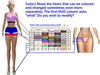
When bringing up the main HUD, note that it can be edited and moved, and also note the far left column labeled "Face." This is the most important column. You should press this first to tell the software "what" item, or area of an item, to change. For example, ALL can change all colors of the outfit at once. Shorts choices will tint colors of the shorts, and Top changes all Top items. Other "face" items can be selected to change a portion of a worn item.
Wearing the Underwear - optional
We tried to ensure that the included panties fit below the shorts.
Special HUD Items
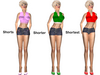
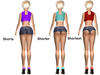
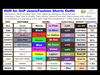
* The three cuts for shorts are set in the face column at the HUD far left and are shorts (full), shorter, and shortest
* To set jeans shorts style of the shorts, there are two choices under textures
* To set fashion shorts in 8 colors, that is the column after the two columns of colors where each choice is marked "outfit." If you choose "All" then the shorts will become fashion shorts in that color, and the top, panties and shoes will also have a similar color.
* Note that if you use the "outfit" column mentioned above, but instead of choosing "All" select Top, panties, or shoes as the item to change in the far left face column, then you can get the color for Top or other without making the shorts fashion shorts. You could, for example, use those colors with jean shorts
* Note that jean shorts can also be tinted, and that can be a feature of not. If you have tinted it accidentally and want it normal appearance again, just click shorts, shorter, or shortest and select white color.
Shoes are Different
For the main HUD, shoes only adjust the color of their main top and insole areas with "All" or with the "Shoe" selection of the main hud. We include a HUD that can change other areas of the high heels separately.
Hope you Enjoy!
Hunter Bronet for OnP Owl and Pussycat in Tissela and on SL Marketplace.
- choice of jeans style, fashion style, or other of a few textures
- length short, shorter, shortest selection
- 2 types of jean shorts textures
- 8 colors of fashion shorts textures
- Huds control texture, color, shortness, more


