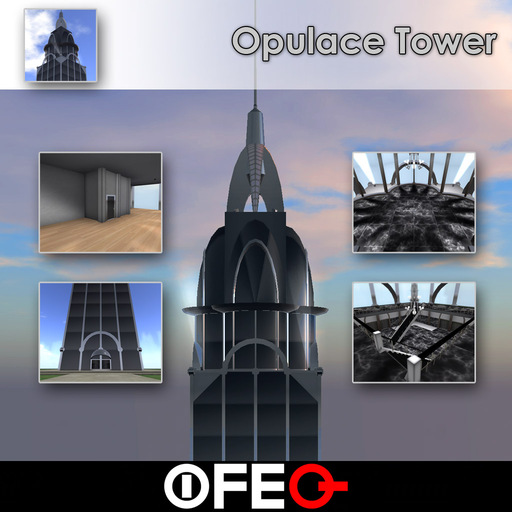

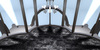

This art deco influenced structure is the epitome of style and elegance, standing over 380 meters tall with a 40x40 meter footprint, boasting 21 stories, and a centrally managed built in security system. The 1st floor and the 2nd floor make up the lobby. Floors 3 through 19 are split into 2 suites apiece, making a total of 34 suites that you may use for business, apartment space, or whatever else you need. The 20th floor has an open floor plan that may be used for club space, meetings, or anything else requiring a lot of room. The 21st floor is the top floor, which also has open floor plan, ideal for corporate meetings with a view of the world below.
You have full permission to modify and customize the look of your building, if you wish. Note, I do not support modified versions. If you change the structure, I can not help you troubleshoot or repair it.
When you first rez your item, you will see a miniature Opulace Tower in front of you. This is also referred to as the rezzer throughout this document.
The structure is built with 485 prims. The optional light fixtures, spotlights, and chandeliers are not included in this number, and enabling them will use more prims. The predicted prim usage is also displayed in the dialog menu.
REZZING INSTRUCTIONS
REZZER MENU OPTIONS
Light Fixtures – Toggles the rezzing of light fixtures. These light fixtures automatically turn on at night. These add 180 prims.
Spotlights – Toggles the rezzing of spotlights on the roof. This increases the prim usage by 12.
Chandeliers – Toggles the rezzing of chandeliers. This increases the prim usage by 108.
Rez Footprint – This creates a holographic image of Opulace Tower footprint. This is to assist you in locating the structure in a good spot. When you move or rotate the rezzer, the footprint will move and rotate to reflect how your building will rez, once you choose the rez option. This is helpful to be sure you don’t accidentally rez part of your building onto neighboring land. If you move the rezzer, and the holographic image does not adjust itself, wait a few seconds. If it seems to take too long, you can choose the Kill Footprint option and then rez a new one. The holographic image is only temporary, so you will have to rez a new one, if you do not finish your adjustments in about 60 seconds.
Kill Footprint – This will turn off the holographic image. Don’t worry if you forget to use this option. The holographic image is only temporary, and should disappear on its own.
Rez Building – This will rez Opulace Tower.
Delete Building - This will initiate the self destruction of Opulace Tower. Note, this will not work if you hit the Done button. If the structure is rezzed, and you hit the Done button all self destruct scripts are removed, to reduce lag. Also, if you leave the structure rezzed for approximately 24 hours, the self destruct scripts remove themselves. This is also to reduce lag.
Help – Gives you this manual.
Done – This "burns in" the build. Once you hit this button, the self destruct scripts are removed from the structure, to reduce lag. Be absolutely certain you are pleased with the location of the building before you hit this button. If you hit this button, and decide you want to delete the building, you will have to delete each piece manually. Remember, if you hit the Done button, the only way to remove the building is to manually delete it. DON'T hit the Done button, unless you're absolutely certain you are going to leave the structure where it is.
SECURITY SYSTEM INSTRUCTIONS
Opulace Tower comes with an advanced security system built in. The security system allows you to assign building managers, lock and unlock doors, assign tenants and guests to suites, and eject intruders. Many of the features are centrally managed from the Building Security Server.
BUILDING SECURITY SERVER INSTRUCTIONS
By default the Building Security Server is rezzed on the 21st floor. You may move it if you wish, but be sure it remains on the same parcel as the tower. Locating it on a separate parcel may yield inconsistent results. Also included is the Security Ejector, for those who wish to rez the tower on group owned land. Rez the Security Ejector near the Building Security Server and deed it to the group.
BUILDING SECURITY SERVER MENU OPTIONS
Only the owner, and designated building managers may use the Building Security Server. The owner may add and remove managers by adding and removing them from the managers notecard. Building managers will have access to all features of the security system, with the exception of adding or removing other building managers.
Auto Close – Makes the doors automatically close after they’ve been opened. If you’ve changed this setting for a particular door, setting it here will override that setting.
No Auto Close – The doors will not automatically close, and will remain open until someone closes it. If you’ve
- 380 Meters Tall!
- Stylish and Elegant
- Built in Security System


Very nice building for the amount of prims! I love the height... WAY above the clouds! LOL! Creator was very helpful with questions and responded quickly. Price seemed a little high to me at first... but it is a quality build with lots of convenient features that you normally pay extra for and it is backed by great customer service. I would highly recommend this product to anyone!