
-- You Can Watch This product in Our In-World Store --
--This Product Is Copy Version So You Can Use Multiple Instance Of It. --
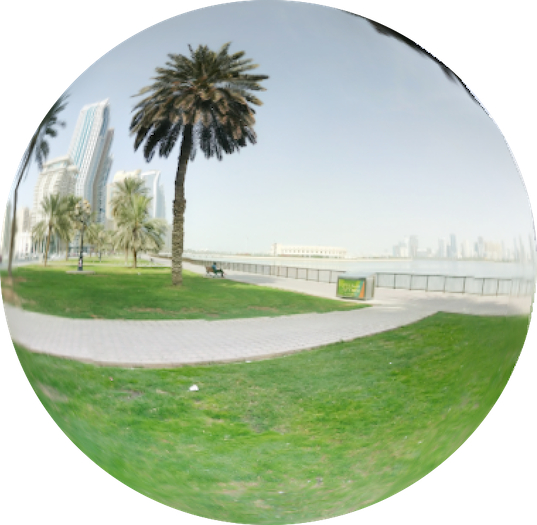
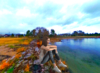
Say goodby to the traditional Cube Sky Boxes and welcome this revolutionary Spherical High Resolution 8K, 360 degrees Orbits where you can walk in a real cities and locations from the RL right into your second life.
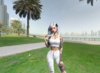
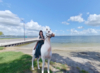
Get your avatar out of the SL into RL walking in real locations.
Can fit as a relaxing spots or a new house location or even a nice photo booth.
Integrated 4K Floor Match Exactly As The Orbit Wal Is And With Same Quality.
Place The Orbit:
Setup is super easy as you have an 8K -> 8192 x 4096 (8K) resolution sky box in 64 x 64 x 64 meters size, which you can resize from the menu later.
just Unbox and Rez what you wish in the center of your land then choose the height like 1000 meters up or can be also under water if you need.
Resize the Orbit:
When Click Size in the menu It Will Guide You To Use A Local Chat Command Line /sz=N which is Letting you Change the Size Of the Orbit To The Suitable Size.
Enter the Orbit (First time):
Fly near the orbit or above it and right click its surface and select teleport, this would land you in the heart of the orbit, land mark your location so you can come back to it again.
Select the Scene:
While you are inside The Orbit Click the surface of it anywhere and it would show the menu which you can select Next / Back, Choose from several, Listen to a very relaxing audio ambiance suitable for the each scene.
Mute the Ambiance Audio:
While you are inside The Orbit Click the surface of it anywhere and it would show the menu which you can select Sound Mute to stop the ambiance sound Click again to play it.
Lock the Orbit control for owner only:
While you are inside The Orbit Click the surface of it anywhere and it would show the menu which you can select Lock which prevent any one other than the owner from clicking the orbit, Click again to Unlock it and allow everyone to use the menu.
Turn On And Off The Floor
Using Floor ON & Floor OFF You Can Select if you wish the Floor to be on or off. and With A Local Chat Command you can Control the transparency level of the Floor (Floor OFF is the Default Setting).
Loop The Scenes
Within A Certain Time that you can Adjust, The Orbit Can Automatically Switch Scenes Using Loop Start & Loop Stop from the menu to turn it on and off And With A Local Chat Command you Can Control the Delay Time Between Scenes (Loop Stop is the Default Setting).
In Menu Guide:
Clicking on Menu Items Always Give You A Respond In Local Chat So you Can Be Guided while Using Each Item From the Menu For Instance Floor, Size Or Loop Will Guide you To Control Floor Transparency, Orbit Size and Loop Delay Time Using Local Chat Command Lines .
Land Impact:
This is 13 Prims only so its super prims economy.
This Package Includes:
- 64 x 64 8K Orbit Resizable to fit any land Size.
- Quick Installation Manual.
Thanks
Franky & Dove
- 8192 x 4096 (8K) resolution sky box With Real 360 Degree View
- Select From Several Scenes With Owner Permission To Control Lock / Unlock.
- Clickable, With Audio Ambiance for Each Scene
- Easy Setup, Right Click To Teleport Inside.
- Very Low Prims Only 13 Prims.
