

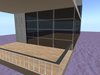

SALE this month FOR only 49L$
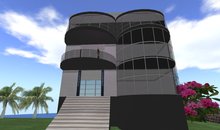
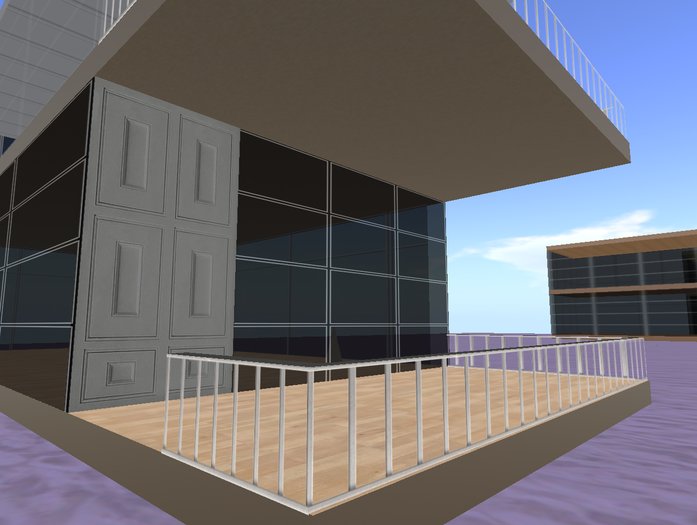
DOLLYCEA - House +Roof, color: WHITE
25x10m (fits in 512qm land)
Also perfect as extra sky-house for only 11 prims.
In this Box you find only the WHITE HOUSE.
If u want I place the house for you on your land/sky (free service)
FOR EVERY QUESTION JUST IM ME, aftersale-help is free !
YOU MUST BE FULLY SATISFIED WITH THIS HOUSE !!!!!
==============================================
STARTING in your INVENTORY
* Rezz the file/box you got in your Inventory on the ground.
You get the house in a BOX.
*So to use your house first OPEN the box, and save the files in your
Inventory (The same as u do it with clothes)
*Make a new FOLDER called CEA-HOUSE and drag all files in that Folder.
..................................................................................................
REZ THE HOUSE on your Land.
*Click on the file of the House and drag it to the middle of your land.
You can see the house now .
*Rightclick on the house and choose EDIT
(for houses larger then 30m more parts).
NOW if everything is highlighted (blue or yellow) u can replace the house.
Ready.
......................................................................................................
MODIFY/CHANGE THE HOUSE:
Commercial use of more copies please IM with Cea March.
The House is to modify, witch means that u can change whatever u like.
Only the scripts in some files are fixed, so they work always.
Dont change size of roof and floors ( huge prims), if you ruin them then just replace it with normal prims or a 25x10m huge-prim (or IM me).
.....................................................
WINDOWS - Menu (Blind, Open)
Left-Click with your Mouse on the front window and u see a popup blue MENU
(CHOOSE from: 100%, 70%-50% visible (Clear=0%)
Use upper- and lower window separate: unlink one window.
.........................................................................................................
DOOR & WINDOW ACCESS OR DENY
Only you can fill in the names from avatars you give access to your house:
*Right-click on a Window or the Door and choose: EDIT
*Go to submenu: CONTENT
*Click 2x on Whitelist or Setting-file opens the file
NB> fill one name on one line, no mistype any letter !!
See the example line with my name
You also can fill in : All (then every avatar can use it then)
*Save the file, and reset the file (EDIT, choose TOOLS, choose RESET SCRIPTS)
..................................................................................
example content Whitelist or Door access-file:
..................................................................................
Your Name
Cea March
(or if u want everybody can use the window or door...:)
All
....................................................
Cea March
- 25x10m (fits in 512qm land) WHITE HOUSE
- windows menu driven
- security Doors & Windows
- 2 terraces
- free service after sale