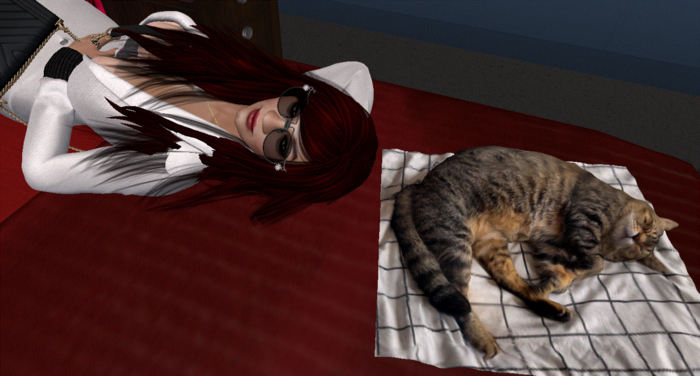
Maintaining a lively, interactive environment has never been easier. With Pet & Prim Mover, your pets—or any prim objects—stay exactly where you want them. Effortlessly position items, allow them to follow you, and create a dynamic, responsive space full of movement and personality.
Prim Setup & Configuration:
• Enable Click Interaction: Right-click the prim → Edit → General → Click To: Touch. This allows the prim to respond to user clicks.
• Adding Script: Drag and drop the 'Move' script into the prim’s contents.
• Adding Notecard: Drag and drop a 'Pos' notecard into the prim’s contents. The 'Pos' notecard stores your preferred positions for the prim.
• Use Edit Mode: Click the prim to toggle Edit Mode on or off:
- Edit Mode ON: You can now position the prim freely. Each click displays the prim’s current position (useful for saving coordinates in the notecard).
- Edit Mode OFF: The prim behaves like a pet—following you (or any nearby avatar) automatically.
• Save Positions: Copy the positions into the 'Pos' notecard. The prim will use these fixed locations for automatic movement.
• Sound: Drag and drop any sounds into the prim’s contents. The prim plays a sound automatically whenever it moves.
• Whisper Description: The prim can whisper its own description whenever it moves. Example: Set the prim’s description to 'Meow' for a cat, or 'Standby' for a TV, and it will automatically whisper that text as it moves.
Bring Life to Your Space. With Pet & Prim Mover, your prim can:
• Move between pre-saved points
• Play sounds while moving
• Add charm, personality, and interactivity to any environment
Personal Note: I love using this system—my cat now follows me everywhere in my home! It feels like having a little companion that’s always by my side. I also use it for objects like my TV, which moves to whichever room I’m in, whether I’m relaxing in the living room or unwinding in the bedroom.
