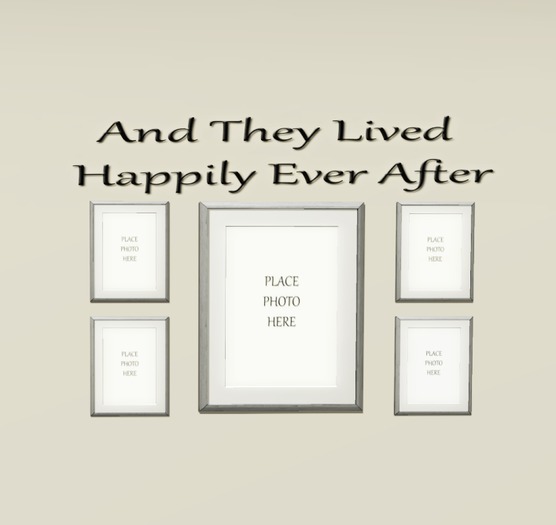

The Ever After Slide show was meant for anyone how truly has that special someone in their life on SL. Display it proudly in your home, room, castle, casa, sky box or anywhere you wish.
That way it can not only remind yourself how important your other half is to you it we'll them as well.
We hope you enjoy you Ever After Mesh Photo Slide show Frames. For it is simple to use by dragging and dropping you photos / textures where it clearly states Place Photo Here. Also, it's 100 % MESH so only takes up 3 prim ( LI ).
NOTE: You can do this drag and drop method ONLY on the 4 Small frames along each side ot the Larger Frame which the Larger one is your Slide Show Frame.
Once you got your textures you want placed in the smaller ones and your ready to add AS MANY snap shots, photo's, and textures your heart desires just RIGHT CLICK the frames than EDIT LINKED and From there click on the LARGE FRAME! Be sure you are in it's contents tab and DRAG & DROP your images.
When you are done doing so, get out of your edit mode and click on the large frame to get the MENU that will Appear in the upper corner of your screen and set as you would like it to display and the rotation times between your images. You can also simply turn it ON and OFF.
Also, if you have questions are need Help please send Evilmorgan resident a IN-WORLD NOTE CARD and or Moonbuggy resident. And one of us will be happy to get back to you ASAP!
Please do not try contacting either one of us by a IM in sl for our IM's do get CAPPED...
- Mesh
- Love
- Home Decoration
- Snapshot
- Picture Art


Nice quality
At the beginin, I thought the product was no copiable and n modifiable, against the description. But, no, simply I unlinked the pieces and could modify and copy them.


