
Detalhes
Destaques
Conteúdo
Resenhas
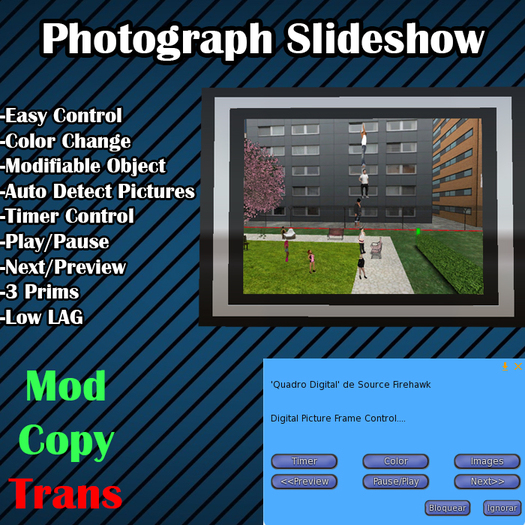
Para adicionar imagens é muito simples, basta editar o objeto ir até a aba conteúdo e arrastar as imagens que deseja adicionar ao slide.
Menu:
TImer = Define o tempo de espera de um slide para outro.
Color = Define a cor do quadro.
Images = Define qual imagem deverá ser exibida.
<<Preview = Exibe a imagem anterior.
Pause/Play = Pause e ativa o slide.
Next>> = Exibe a próxima imagem.
Para excluir uma imagem basta editar o objeto ir na aba conteúdo e deletar a imagem desejada.
Video de Demonstração:
http://www.youtube.com/watch?v=V1KWUTSytDk
Logic Tec Company
Source Firehawk


![Hud Scripts [FULL PERMS]](https://slm-assets.secondlife.com/assets/6007819/view_small/Sem%20T%C3%ADtulo-1.jpg?1343784583)

