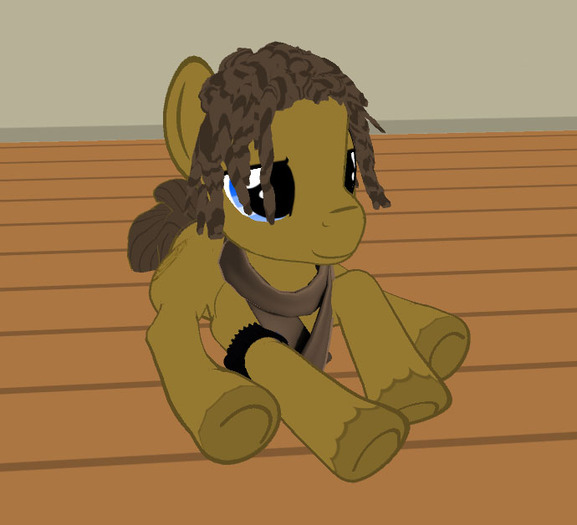


Why bother putting your best hoof forward when you can do it with all of them. Be lazy and just sprawl out where ever ya might find yourself with this ground sit. Made with an EP pony avatar but this should work with any of them.
Instructions for adding ground sits to your EP HUD:
I.) First locate your EP HUD - often in the upper right corner of the screen. When active, the HUD will look like two little round buttons, one overlapping the other. The top button is pink with a power symbol on it, coupled with a crescent of purple underneath it. If your AO is off, the top bottom will be cyan instead of pink. Once located, move your cursor over the button and right click, select edit. Look for a little tab labeled 'Content' a little less then halfway down on the edit menu and select it. You should see a new folder that displays 'Contents' with a variety of items inside it.
II.) Locate the animation in your inventory. Drag the animation file into the edit menu and release it into the 'Contents' folder.
III.) Scroll down inside the 'Contents' folder until you locate two files, one labeled Pony Default Set, and one labeled Pony Sweetie Crawl. Select one, and double click the file.
IV.) There should be a line that begins with [ Sitting On Ground ]. Each ground sit already present in this field is separated with a | symbol, which is sometimes located above the \ key and can be accessed by holding the shift key while pressing \. Add the name exactly as it is written of each animation, separated with |. So essentially, in addition to the ground sits already present, you would add as follows: |Pony flump ground sit (higher) or (lower)
You do not need to add an | after the last animation name.
V.) Select the 'Save' button at the bottom of the text editor window and close it once it finishes saving. You will need to repeat instruction IV with the other file if you wish to be able to use the ground sit in both overrides.
VI.) Make sure you are no longer editing your HUD buttons at this point, and click the purple crescent part that is under the top button. Select the button titled 'Load' and select either Pony Default or Pony Sweetie.
VII.) Click the little purple crescent and select the button 'Ground Sits'. Now, you should see your new ground sit pose, assigned to its own button number. Click the number you desire.
To utilize your ground sits, press Control-Alt-S at the same time. Press it again to get back up.
Yay, you did it! Good job little pony!
- Ponies
- Ponies
- Ponies
- Ponies
- Ponies
