✵✵✵✵✵✵✵✵✵✵✵✵✵✵✵✵✵✵✵✵✵✵✵✵✵✵
Premium Rides
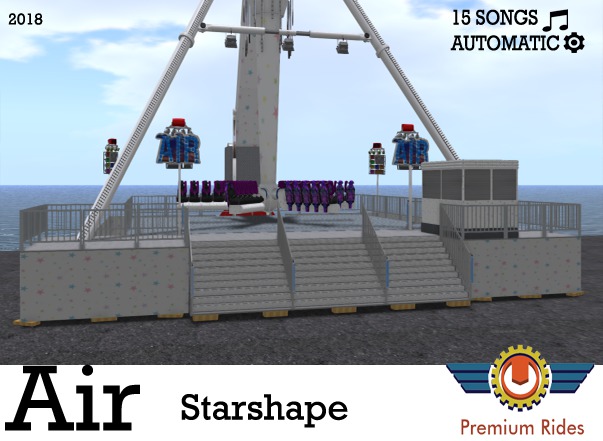
Air
✵✵✵✵✵✵✵✵✵✵✵✵✵✵✵✵✵✵✵✵✵✵✵✵✵✵
!! THIS RIDE IS AUTOMATIC OR CONTROLABLE VIA HUD !!
This ride comes with:
Rezbox
HUD
Manual
Music Disks ( 15 FULL SONGS )
If you want to remove this ride make sure to first remove the gondolas, then the cross, then the arm, and after the other left stuff.
Otherwise those parts dont find a position to go and they go to a random position.
TICKET SYSTEM
Now you can pick up the tickets like in real life!.
Only the collector can go and click the weared tickets of the people.
The ticket status turns Unavailable.
== DETAILED INFORMATION ==
Dimensions: 26m X 26m.
Prims ( land impact ): 463
== ENGINE ==
You will find 2 sections on the hud which are called Arm and Cross.
In those ( orange ) sections you find power, stop, and brake in the cross section.
You can hold the Power and Stop buttons as long as you like.
As long as you hold the Arm Power button, all passengers will throw hands up.
Will lower hands when release button.
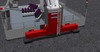
Safety Bars and Floor you will find above the engine buttons, Press those to move ( open / close ).
Texture of this button will change to ON or OFF.
Opening the Safety Bars will play a air hydraulic sound releasing its air.
Moving the floor will play a hydraulic sound.
== LIGHTS ==
** LEDS / FLOOD **
You will find 8 buttons below the Light System text.
All those buttons have another function in the light system.
Press those to turn on, and press again to turn off.
** PARS **
You find a Color picker below "Pars".
Click any color you like and the box below this color picker will change color.
Press this box to set the light's color to the chosen color and turn them on.
Several light sections have different programs, this will be played after each other automaticly when turned on.
Below this box you have Brightness settings.
We have OFF, 20%, 50%, 80%, we don't have 100% becouse this is very bright and overpowered.
** BEAMS **
You find a Color picker below "Beams".
Click any color you like and the box below this color picker will change color.
Press this box to set the light's color to the chosen color and turn them on.
Below this box you have Brightness settings.
We have OFF, 20%, 50%, 80%, we don't have 100% becouse this is very bright and overpowered.
== OPTIONS ==
** FOG **
In the section "Options" you will find Fog, Strobe, and Staff.
Hold the button below Fog as long as you like to spray fog.
A nice fog particle will show up and a spray sound will play.
** STROBE **
Hold the button below Strobe as long as you like to spray Strobe.
The strobe will extremely fast switch from on and off.
This stroboscope is a SSS, ( Smart Strobe System ) all other lights will be turned off as long as you hold the strobe button.
If you had lights turned on, these will go back on after the strobe show.
** STAFF **
Below "Staff" you find 4 buttons.
List, Collect, Delete, Add.
List will easily tell you who is added to the acces list to control the HUD.
Collect, you can paste a key in there from someone you like to have as a staff.
This person can now click the tickets from passengers.
Delete, Type the name you like to remove from the acces list.
Add, Type the name you like to Add to the acces list.
== JINGLES ==
On the right side of the HUD you find 2 jingle boxes which both have 24 jingles.
Click any of the buttons to play a jingle.
== AUDIO ==
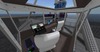
If you like music to your ride, you have to go into the paybox ( control room )
You find a stereo player.
Rez any of the disks and press this disk.
It will now insert and you are available to play it.
Click the big control panel.
Press Start to start the song that is in the reader.
Press Stop to stop the song that is in the reader.
Press Volume to change the volume of the playing song.
press the grey disk reader to eject.
== EXTRA'S ==
** SPEAKERS **
You can press any red speaker on the light stands to change angle of the speaker.
Click will change 30 degrees
Another click will go back.
** CLIMBING **
On the back side of the ride you find 2 ladders with a poseball in front.
Sit on this poseball and your avatar will climb up the ladders with a animation.
** PAYBOX SHUTTER **
Please click the tiny red button in the paybox to open or close the shutters.
** DOOR **
You are available to lock/unlock the door.
You can also add special names to the door that can open the door.
Also remove able.
Please click the door and type "show help" to get all commands for the door.
When you open the safety bars, the passengers will be ejected, and they receive a message to thank them for ride.
Copy Mod No Trans
Scripts no MOD.
If you have any further questions, feel free to contact Premium Rides.
Contact: Juppyj Alter
Premium Rides 2018 ©
- Ticket System
- Music Disk System and 15 songs
- Climbing ladders
- Smart Stroboscope
- 46 jingles


Rubbish
looks great, but after 1 ride it falls apart, contacted the creator he didnt get back to me, seriously dont waste your money
works great but one problem...
ride runs good until close to end of ride. the seats will separate and get stuck in the air and then finally reattaches. so basically you are stuck in air for like 20 seconds or so. great ride.
O M G
I just freaking love this one the best! If you still haven't seen their work.. your still missing out! These are epic funfair rides! ^^
Atonishing!
I have to confess that this is the best ride (in my opinion) that he made yet! it's so smooth that when riding it, you could seriously imagine being on the real thing. Shucks, I would have paid even more for it so this price is a steal and well worth every single L$!
Amazing!!!!
If you've not seen their stuff yet - you been missing out!! The detail of this ride (and I saw some others) is incredible. Had to pinch myself to make sure I was still in SL. This will be one of my feature rides at The Ride (currently rebuilding) and you are welcome to come try it here before you get YOUR OWN!!!


