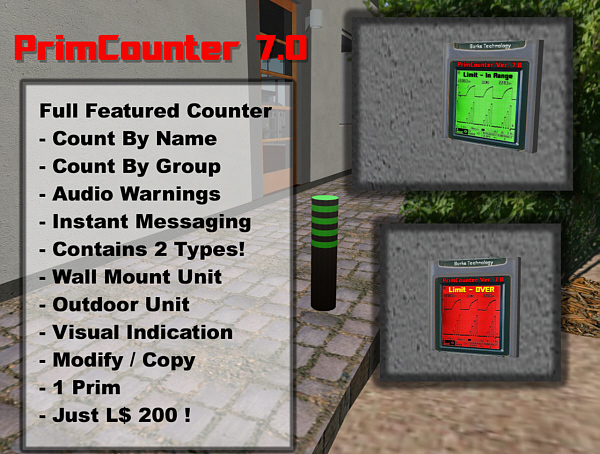


INTRODUCTION:
The Primcounter system by Blaccard Burks was originally designed in June of 2007. Since that time hundreds of counters have been sold and are used in many rental communities. Some even for personal use. It is one the most popular counters in Second Life for rental communities. Works with SHARED parcels as well.
Your PrimCounter package comes with:
Standard Copy Counter - PrimCounter 6.5G
Outside Counter - PrimCounter 7.1AR (10) Copies
Inside Wallmount Counter - PrimCounter 7M (10) Copies
Agent Key Utility
Instructions
QUICK FEATURES:
*Counts all objects for parcels set to group or owned by a group.
*Individuals can touch the counter to get their own count by name. (Must be deeded to group)
*Full List report of all prim owners NAMES and associated prim counts on the parcel. (Must be deeded to group)
*Full list report can be emailed in a defined amount of days.
*Audio Warning with your own sound file or one supplied on wall mount indoor counters.
*Defined count time, email time.
* Simple Notecard setup.
NOTICE:
YOU CANNOT QUERY THE COUNTER BY NAME.Meaning you cannot see just what John Smith's prim count is. The full list function gives you the prim counts and associated names of everyone on the parcel. However a person can touch the counter to see what prims they have.
MY LOGIC:
The logic is the following. From renting many communities most rentals have multiple tenants in one parcel. Could be a husband and wife or a group of people renting a single parcel. Each person can see what their OWN count is as well as all the prim owners on the parcel.
COMMON MISCONCEPTION AND QUESTION:
"I want to count by a specific name. and your counter does not do that."
Having to program a counter so that specific names can be queried may have some benefit. The Full List function will show you EVERYONE'S NAME AND PRIM COUNT on a parcel.The problem with setting up a notecard with specific names to query is that tenants come and go and that creates more work for you to update notecards. If you have hundreds of rental parcels updating notecards each time a tenant vacates will create lots of work for the landlord.
INDOOR AND OUTDOOR COUNTERS:
Outdoor counters are good for home rentals that have a separate parcel for each home. Indoor counters are good for that as well but can work in situation where you may have an apartment building and just want individuals to keep track of individual prims by name. All counters have built in instructions that anyone can get by selecting it from the counter's menu.
DESIGNED FOR RENTAL PROPERTIES:
These prim counters are designed to work when you have a rental parcel SET and/or DEEDED to a group. Most rental properties in Second Life usually have their parcels subdivided and require a tenant to join a group to gain permission to rez objects on that particular parcel. Your parcels should have all the objects set to the group and auto return of objects set on. Allowing objects not set to a group on group owned land defeats the purpose of this counter. By using the status button, you can see what objects are not in the group.
APARTMENT EXAMPLE:
Place an outdoor counter on the parcel set to trigger when the whole parcel goes over its limit and enable it to send you an Instant message. PrimCounter 6.5G has worked for 100's with this simple application. Stick indoor counters in each apartment with the same limit value, but disable audio and instant messaging. All counters will trigger and each tenant can check their count by name, if the counter is deeded to the land.
HOME EXAMPLE:
The most common application is to set the outside counter on the parcel and enable instant messaging. If you tend to have tenants that seem to ignore the counter then place an indoor wall mount counter with the same settings in the home with Instant messaging disabled and audio warnings enabled. Set the indoor counter to trip every 600 seconds (5 minutes) and the outdoor counter every 3600 seconds (every hour). Then they will get an audio warning every 5 minutes and you just get notified every hour.
SAMPLE E-MAIL REPORT:
_______________________________
Object-Name: PrimCounter_ 7.0AR
Region: Shipstone (292864, 277504)
Local-Position: (196, 189, 22)
Your Prim Counter located at Shipstone Community has counted the following prims:
Blaccard Burks: 1258 Prims
Swan Heron: 66 Prims
a18c8e27-ea85-33dc-4df7-ba3189e28ebd: 3 Prims
Total prims used in this parcel are: 1327 prims.
______________________________
SAMPLE NOTECARD:
<1.0,1.0,1.0> Color of hoover text ( Outside Counter Only )
2000 ( Prim limit)
0 ( offset of prims not to include in count)
3600 ( amount of time in seconds to recheck count)
yes (flag for sending Instant Messages)
c00644e4-75b7-4c8d-a02d-db6c4f0872c8 ( key of avatar to send messages to)
2 ( Days to send Email Reports)
you


Good Primcounter
It works fine and does all what is needed. The only enhancement which would be great, is that the hover text would fade out after a while no one has clicked the counter (with a fade out time set in the setting NC).
its a good objet
but the item are no copy in all fix it and i will up stars