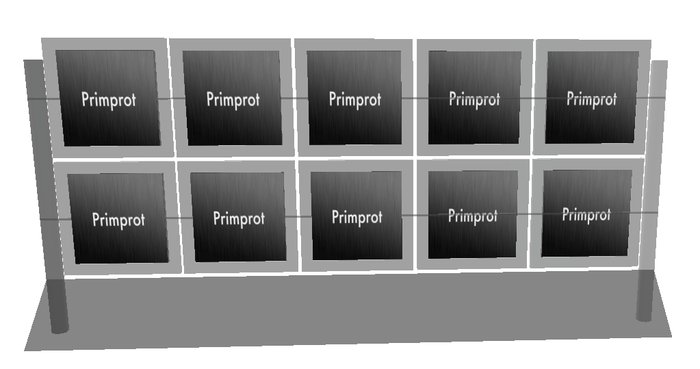
Picture Display Stand 1.0
This picture display stand can be set to give a differnet notecard for each picture on the stand.
This stand has positions for 20 possible pictures. 10 on the front and 10 on the back.
To add a picture to the stand,
1. Drag and drop the picture to the place where you wish it to be displayed.
2. Follow these instructions:
1. Right click on the display stand and choose "Edit"
2. click on "Select Face"
3. click on the place holder where you wish to place the picture.
4. in the edit window, click on the "Texture" button
5. Click on the picture above the word Texture
6. use the texture picker to select the texture that you would like to use as a picture.
7. Click OK.
you should not see your picture in place where you chose.
This display stands main feature is the muti inventory giver.
Each picture can have an associated inventory item.
To have the photostand give out an item. you will have to name your notecard using the following instructions.
1. decide which picture you wish to associate with your notecard.
2. count the rows from the bottom of the stand. The bottom row is row 1. This will form the first part of the notecard name.
3. count the columns from the left of the stand, whilst looking at the front of it. the left column is column 1.
4. note if the picture is on the front face or back face of the stand.
using this information you can name your item using the following convention
row_column_face
For example the front picture, on the bottom row, third from the left would be named.
1_3_front
the picture to it's right would be
1_4_front
and the one above is
2_3_front
for the picture on the reverse side it is
1_3_back
In addition you can have the box give you an notecard named instructions by clicking on the base.
- Extremely low lag Mono scripting.
- Modifiyable
- Full mod permission (except script)
