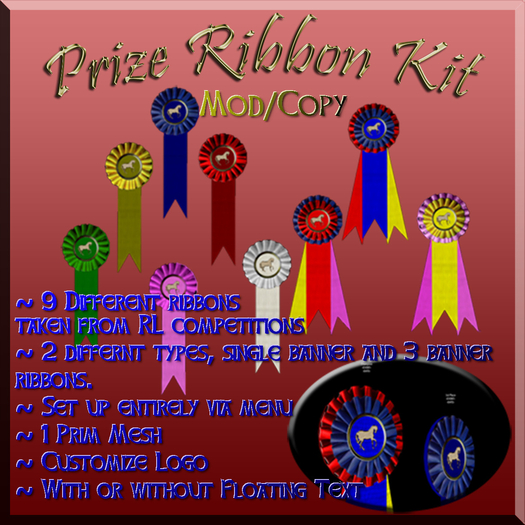

This box contains:
Best of show Ribbon:
This ribbon has three ribbon banners and it given out for best of show or special awards.
This by default can be configured for pony, puppy, or general awards as:
Ribbon Champion - This is a "Best of Show" 1st place ribbon
Ribbon Reserve Champion - This is a "Best of Show" 2nd place ribbon
Ribbon Champion of Merit- This is a "Best of Show" 3rd place ribbon
Standard Ribbon:
This can be set up for ribbons to cover places 1 through 6 of any event.
This by default can be configured for pony, puppy, or general awards as:
Ribbon 1st - Event 1st place ribbon
Ribbon 2nd - Event 2nd place ribbon
Ribbon 3rd - Event 3rd place ribbon
Ribbon 4th - Event 4th place ribbon
Ribbon 5th - Event 5th place ribbon
Ribbon 6th - Event 6th place ribbon
Extras:
logopuppy - A simple puppy logo to go on the ribbons
logopony - A simple pony logo to go on the ribbons
logoaward - A simple general award logo to go on the ribbons
GZRibbonClickForInfo.lsl - If you set up your ribbon to not have floating text you can use this script to allow anyone to click on a ribbon and get information about the award.
So what does it all do?
-----------------------
- With the MOD/COPY set you can create ribbon for personal use.
- With the MOD/COPY/XFER set you can create ribbons for yourself and to hand out as prizes.
- Everything is handled via the internal script. So you rez a COPY of the ribbon then just click on it to configure.
- Each ribbon has default configurations but because they are mod you can customize them manually.
- Put your own logo on the ribbon.
- Set the ribbon to have floating text to show what it is for or to allow for a click to show details option.
To Setup:
-----------
1) Rez and edit ribbons to set up
2) Click on the ribbon to set up:
Main Menu:
----------
Quit - Exit Menu
Help - Get this help note card.
Reset - Reset ribbon Scripts.
Hover OFF/ON - Turn on and off floating text.
*SetAward* - Open menu to specify the award this ribbon is for.
Award Menu (single banner ribbon):
----------------------------------
1-6 - The place the person took at the event.
*Custom* - Open text dialog to specify a custom award for the ribbon (e.g.: Best Dressed).
Back - Go back to main menu.
Quit - Exit menus.
Award Menu (Triple banner ribbon):
----------------------------------
Champ - Champion (First Place best of show) Ribbon.
ResChamp - Reserve Champion (Second Place best of show ribbon)
ChampMerit - Champion of Merit (Third place best of show ribbon)
*Custom* - Open text dialog to specify a custom award for the ribbon (e.g.: Best Dressed).
Back - Go back to main menu.
Quit - Exit menus.
*SetEvent* - Open text dialog to enter the name of the event the ribbon is for.
*SetDate* - Open text dialog to enter the date of the event.
*SetLogo* - Open menu for setting a stock logo or specify a custom one.
Logo Menu:
----------
Pony - Pony award logo.
Puppy - Puppy award logo.
Generic - General award logo.
*Custom* - Open text dialog to specify a custom logo for the ribbon by UUID.
Back - Go back to main menu.
Quit - Exit menus.
*SetName* - Open text dialg for entering the name of the ribbon recipient.
3) Once you are done you can duplicate the ribbon so that you can quickly set up different awards for the same event.
4) Before handing the ribbon out:
Set permissions to copy only
Delete the GZRibbonConfigurator.lsl script OR CLICK THE DEL SCRIPT BUTTON. YOU HAVE TO DO THIS OR THE RIBBON IS NO TRANSFER.
GZRibbonClickForInfo.lsl script in the ribbon and set it to running. If you clicked DEL SCRIPT this is already done for you.
DEL SCRIPT - Removes the contents of the ribbon so you can hand it out and sets the click for info script on.
IF YOU DO NOT DO THIS THE RIBBON WILL BE NO TRANSFER!!!!!
Some tricks:
------------
- You have mod permission for the ribbon. So you can use your editor to change textures, and colors. Note the scripts if run can overwrite your setup.
- You can edit the name and the description to put information in the ribbon prior to rezing.
The form of the name is <award>:<name of recipient>
<award> - Is the award the ribbon represents. E.g.: 1st place, 2nd Place, Best in hoofs, ect.
<name of recipient> - Name of the person getting the ribbon
The form of the description is <event>:<date>
<event> - the name of the event
<date> - the date the event.
Note via the menu you can overwrite this set up so be careful.
- Logo needs to be a square texture and must fit in a circle in the middle of that square texture.
Enjoy!
Zaphod Plutoinian


Poor
Quality of these things is pretty terrible. Can't recommend this item. They just look really cheezy.


