![[RADIX] Modern Gacha Machine - Event Edition](https://slm-assets.secondlife.com/assets/20917375/lightbox/_RADIX__Modern_Gacha_Machine_-_Event_Edition_Pic.jpg?1529800751)
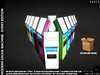


[RADIX] Modern Gacha Machine - Event Edition | 100% Original Mesh Material Enabled - 1 LI - 10 machines included with different colors with Transfer Permission.
FREE BONUS: [RADIX] Intelligent Gacha Vendor Script is included with several smart features:
(1) Auto recognize RARE items based on item's name with RARE keyword. Multiple rare items supported.
(2) Easy to set price and the level of difficulty to get rare items by just entering values to machine's description field.
(3) The Level of Difficulty will inflate the gacha item list length by your defined value while keeping the number of rare items the same. No bogus, unfair and hard to understand percentage model.
(4) Fair & Lag free script. The script will only activate a "fresh" session of the gacha vendor function after receiving payment from the buyer and go back to the sleep mode after giving out inventory offer to the buyer.
==== INFORMATION FOR STORE OWNERS ====
[RADIX] Modern Gacha Machine - Store Edition with copy permission is also available for purchase. This is for store owners and can be rezzed as many machines as you like. Each store edition pack contains 10 empty & 10 scripted machines in different colors. Please search for it in our marketplace or inworld store.
https://marketplace.secondlife.com/stores/109922/
[▪ ▫ FEATURES ▫ ▪]
1. 100% Original Mesh Material Enabled
2. 10 machines in different colors with transfer permissions inclucded
3. FREE BONUS: [RADIX] Intelligent Gacha Vendor Script
4. Auto recognize multiple Rare items by keyword in the item name. Multiple Rare items supported.
5. Fair & Lag Fee Script. Easy to set price & level of difficulty. No notecard needed.
[▪ ▫ WHAT ARE INSIDE THE PACKAGE? ▫ ▪]
1. [RADIX] Modern Gacha Machine {scripted} in 10 colors ~ total 10 machines ~ 1LI/Prims
2. Instructions
3. Landmarks
[▪ ▫ REQUIREMENTS ▫ ▪]
* Require Mesh Capable Viewer
* Require Advanced Lightning Model option to see the outfit's material settings and light reflection.
[▪ ▫ PERMISSIONS ▫ ▪]
Modify - No Copy - Transfer
[▪ ▫ HOW TO USE? ▫ ▪]
1. Choose & Use the gacha machine:
We included 10 scripted machines in different colors. Please pick one and use. You can just rez it. Put your gacha inside the machine. Then, set your price and the level of difficulty. Don't forget to drop the Ad Photo and store logo on the machine to customize it. If you want to use your own script, please feel free to delete the script in the machine and replace with your own script.
2. Resize the machine:
The gacha machine was well designed so that you can easily change its size. Please feel free to modify it the way you want.
3. Set gacha price & level of difficulty for the scripted machine:
To set or change gacha price & level of difficulty to get rare items, you can write those numbers in the machine's description field (just edit the vendor and you will see where to type). Use the comma to separate price & level of difficulty numbers. For example: you can write 75, 5 - This means the price is 75L and the level of difficulty is 5 times harder to get rare items. This will increase the inventory list length to 5 times while still keeping the number of rare items the same. The higher the level of difficulty number, the harder for the player to get the rare item(s). Level of difficulty number must be greater than zero. Number 5 is probably a good number to use. However, it depends on how hard you want it to be. So please feel free to adjust and test first. After setting those numbers, please click on the gacha machine to apply changes.
4. Add Gacha & RARE items (for scripted machine):
Simply drop all gacha items to your gacha machine's inventory. This script supports multiple RARE items. All RARE items must have RARE keyword in the name. The script will automatically detect all the RARE items in the machine's inventory. An example of a rare gacha name cab be "11. Product 11 RARE" As long as you have the keyword RARE. The machine will recognize those rare items.
5. Change the gacha Price & Level of Difficulty: To change the Price & Level of Difficulty numbers, please enter the new set of price and level of difficulty number to the gacha machine's description field. Then, please remember to click on the machine to apply changes.
[▪ ▫ MARKETPLACE ▫ ▪]
https://marketplace.secondlife.com/stores/205860
[▪ ▫ TELEPORT ▫ ▪]
Check Satus Udimo's picks for latest and updated landmarks of Main Store and Branch Stores
**RADIX Main Store**
http://www.teleporthub.com/radix/
- 100% Original Mesh Material Enabled
- 10 machines in different colors with transfer permissions inclucded
- FREE BONUS: [RADIX] Intelligent Gacha Vendor Script
- Auto recognize multiple Rare items by keyword in the item name.
- Fair & Lag Fee Script. Easy to set price & level of difficulty. No notecard need

![[RADIX] Vending Gacha Machine - Store Edition](https://slm-assets.secondlife.com/assets/20917333/view_small/_RADIX__Vending_Gacha_Machine_-_Store_Edition_Pic.jpg?1529800351)
![[RADIX] Vending Gacha Machine - Event Edition](https://slm-assets.secondlife.com/assets/20917331/view_small/_RADIX__Vending_Gacha_Machine_-_Event_Edition_Pic.jpg?1529800337)
![[RADIX] Modern Gacha Machine - Store Edition](https://slm-assets.secondlife.com/assets/20917372/view_small/_RADIX__Modern_Gacha_Machine_-_Store_Edition_Pic.jpg?1529800733)