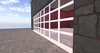
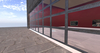



~~~SEE inworld below and watch the video first!~~~
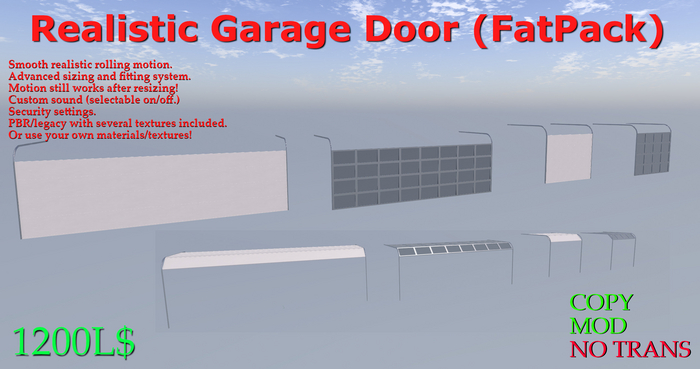
This fatpack includes ALL SIX versions of our Realistic Garage Door at a substantial discount! The smoothest movement in a real overhead rolling door with accurate sounds, texture changer (PBR/Legacy) and Scale/Width control system to fit to your doorway! Door is 7LI at 1.0 scale.
INCLUDED:
Realistic Garage Door Narrow
Realistic Garage Door Narrow Glass
Realistic Garage Door Narrow Panel
Realistic Garage Door Wide
Realistic Garage Door Wide Glass
Realistic Garage Door Wide Panel
~~~Quick Start:~~~
1. Rez your garage door near where you want to place it.
2. Adjust the height so that the button that says "Calibration Mode" is just visible above the floor.
3. Move the door so that it is close to the alignment you want with your doorway.
4. Click the calibration button and choose "Scale".
5. Scale your door so that the top of the door is properly aligned with the top of your doorway.
6. Choose "Back" and then adjust the width of your door using the Width+ and Width- buttons. (these are in .5,.1,.05,.01 meter increments, plus and minus)
7. Once the scale and width are correct, place the door in its final position and then choose "*CALIBRATE*". The button now becomes invisible.
8. Once calibrated, touching the door will open/close it.
~~~Menu Options:~~~
Width - These are incremental width changes measured in meters.
Scale - This opens the Scale menu which will scale in percentages
RESTORE - This will revert the door back to original scale 1.0
*SC-RESET* - This will RESET the scaling script and cannot be undone! (the new scale will be 1.0)
Settings -
Security - This allows you to set who can open or close the door, Owner, Group, ALL (default is ALL)
Texture - This will give choices of the several included built-in textures.
Sound - This will toggle sound on/off
*CALIBRATE* - This is a necessary button to make the door work properly after doing any changes. Pressing this button will calibrate the door and hide the inworld button. (you can still access the menu by touching the invisible button or the green arrows underneath the floor)
~~~~NOTES~~~~
1. It is recommended to scale first, then set width second.
2. If for some reason you need to set width first, and scale second, you will need to perform the SC-RESET so that the scaling system will not undo your width changes.
3. It is possible to scale the door manually using the SL edit tool, but the results will not be recorded by the Scale system. Performing the SC-RESET will cause it to record the new scale, but you will not be able to return to the original size. Manually scaling the door when it is in the UP position will break it forever! Please do not do this! (be sure to save your box as it has unmodified original doors in it)
4. The door is mod, and therefore you can put your own textures on. If you choose to put your own textures on, or if you change the tint color of the textures included in the changer, *do NOT use the texture changer again*, as it will reset to the original color and texture.
5. The included texture changer changes both PBR and legacy textures to match the choice. If you use your own textures or colors, you will need to change these individually.
6. Do not change the linkset or attempt to link the door to something else. Any changes to the invisible prims or moving the door segments individually will likely ruin the door's movement.
- smooth rolling motion like a real overhead door
- integrated scaling and width setting system
- selectable sound and security
- several textures included PBR/legacy
- fully modifiable
