SONGS ARE CURRENTLY ONLY AVAILABLE AT MAINSTORE IN-WORLD
http://maps.secondlife.com/secondlife/Sarek/220/223/2991
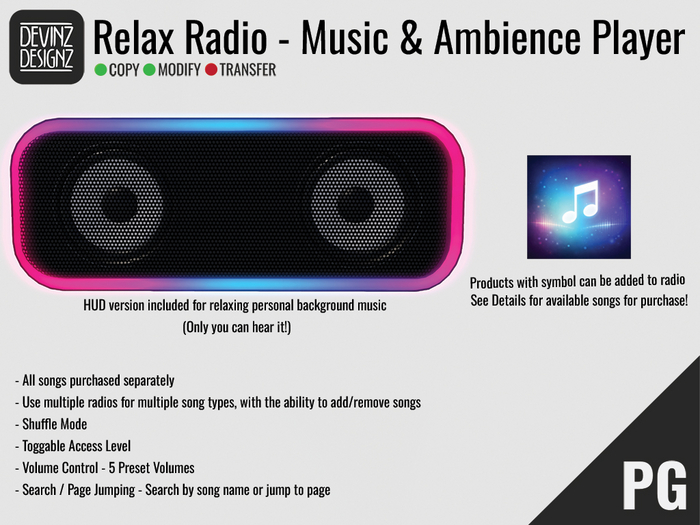
Advanced Sound-Based Radio System with Personal HUD
A reliable radio system for Second Life that uses object sounds instead of media streams. This allows music playback in locations where parcel media is unavailable or restricted, with no buffering or stream lag. Designed for ambient environments, builds, homes, stores, and roleplay spaces.
Includes both a rezzed radio and a wearable personal HUD radio.
WHAT’S INCLUDED
• Interactive rezzed radio
• Wearable HUD radio for private listening
• 5 music sounds included
• Expandable via CD system
• Owner-controlled access and settings
WHAT THIS RADIO DOES
Sound-Based Playback
• Does not use parcel media
• No stream buffering or delays
• Reliable local sound playback
Large Song Capacity
• Stores over 150 songs in a single radio
• Smart memory limits prevent errors
Built for Practical Use
• Shuffle mode for ambient playlists
• Alphabetical song list
• Search and page jump support
• Instant volume presets
PERSONAL HUD RADIO
Includes a wearable HUD version of the radio that only the wearer can hear.
• Completely private audio
• No sound heard by nearby avatars
• Uses the same sound-based system
• Ideal for building, shared parcels, or quiet environments
PLAYBACK FEATURES
Music Controls
• Play individual tracks
• Stop playback instantly
• Shuffle mode automatically plays random songs continuously
Volume Control
• Quiet, Low, Medium, High, Max presets
• Volume changes apply immediately
• Changing volume restarts the current song
Search and Navigation
• Filter songs by name
• Jump directly to a specific menu page
• Song list is sorted alphabetically
• Previous and Next page navigation
ACCESS CONTROL
Interaction access can be set to:
• Owner Only
• Group
• Anyone
Access applies to:
• Playing music
• Stopping playback
• Volume control
Settings access always remains owner-only.
CUSTOMIZATION AND MANAGEMENT
Neon Customization
• Multiple neon color options
• White neon can be tinted using the Edit window
Chat Toggle
• Enable or disable “Now Playing” messages in local chat
Song Removal
• Permanently remove songs from the radio
• Frees memory immediately
• Add song again via the CD
ADDING MUSIC USING CDS
Music is added using CDs.
From a CD you can:
• Add the song to all radios you own in the region
• Add the song to one specific radio
• Preview the song locally using Demo mode
CDs may be deleted after adding, but it is recommended to keep a copy to re-add songs later.
IDEAL USES
• Ambient background music
• Homes and cozy builds
• Stores and shopping events
• Roleplay environments
• Clubs without media streams
• Private listening using the HUD
