
***** The outline *****
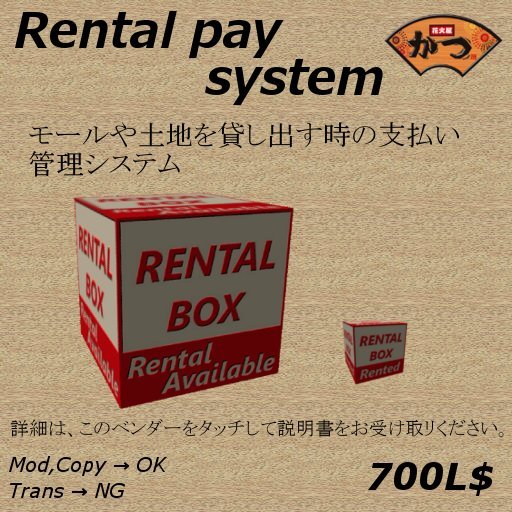
These goods are the payment management system when lending out a mall and land.
The rental fee and the number of using Prim are indicated by a floating text. (Prim:1)
When rental is begun, remaining time is indicated by a floating text, but indication will go off several minutes later. And if you want to check the remaining time indicates, just tuch a box once again.
When rent becomes possible, rental box will be large size and then box will be small size also can move to a corner after payment. (It's possible to establish the size in box and the arrangement point of view.)
A texture of box changes behind before rental and the rental starting. (It's possible to use a texture of the making. Please change the name of the making texture to texture1,texture2.).
The user can receive an agreement with a notecard. Please set an optional card.
The rental user and an owner are contacted on the chat screen in 2 days before and the previous day when a rental time limit ends.
But if you want to continue to luse, It's possible to extend a rental period according to the price of the additional payment.
You can copy this script. A script can be set and used to a favorite object.
An owner of a rental system is that the rental user touches only owner in case of in land, and it's possible to check the use number of Prim.
(When an owner of a rental system isn't an owner in land there, please use an attached Prim counter. A transfer is needed to an owner in land. When needing several Prim counters, it's being sold).
***** Installation method *****
1. When the Object Rezzing the permission menu for which a linden dollar will be paid comes out, so please choose permission.
2. Put an optional notecard about rental in the object. (Setting unnecessary in case of doesn't need this operation)
3. Touch the object to the dialogue comes out.
4. Choose "Rental Rate" from the dialogue, and say rental fee for 1 week you want in a chat space.
ie)100L$ in case of >>> 100
5. Choose "Prim allow" from the dialogue , and say the number of Prim thet you permits a chat space.
ie)50Prim >>> 50.
6. After editing the size of the object and the established location, click "startobj Set" of the dialogue. (That object set for before rental)
7. After editing the size of the object and the established location, click "ren-obj Set" of the dialogue. (That object set for after pay)
8. When "Start Lent" is clicked, it'll be a rent reception.
***** Rental procedures *****
*When you touch a Rental System, a notecard is sending from object. Please confirm the term of service. (Only when a notebook card has been put in.)
*When the charge will be paid, usable time is indicated by a text. This text will go off automatically several minutes later (Even if a text goes off just touch the object then practicable time indicates Box for several minutes.)
*When extending a period of service, extra charge will be paid. A period according to the price is extended.
*The rental user can check the number of using Prim. Please touch an object.
***** Rental end *****
*When rental ends, the point of view of the object and the shape return in the rent possible state.
And expired time is indicated negatively. It isn't possible to borrow it until an owner processes "Start Lent".
*If rental ends, an owner clicks "Start Lent" of the dialogue. Rental will be in the possible state.
***** Attention *****
when redoing setting, please use "Reset Script" in the dialogue. (Everything is reset.)
If you have any questions please feel free to contact me.
Thank you
Katsu Atlas
Artikel in Second Life anzeigen