
Copy/Modify (scripts are copy only)
2 prims
Stretch to Size easily
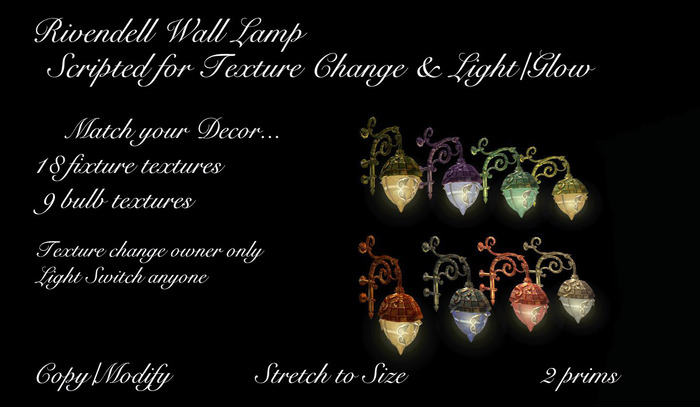
Like having many different wall lamps all in one....i am sure you will find a fixture/bulb texture combination to fit your decor or mood...
To turn the light on/off simply touch the bulb ...you will see your wall lamp turn off and the glow gradually disappear...it is set so anyone can operate the light part....
To change the texture, touch the metal fixture for the menu...you choose the part you wish to change...fixture or bulb then choose the texture you wish to try...there are 18 fixture textures and 9 bulb textures to play with...you see some of the combinations on the box i did...texture change is set to owner only...
The wall lamp is modify and copy....but do not attempt to drag copy or you will lose the texture change ability...if you need another copy of wall lamp, simply rezz another from your wall lamp folder...:))
To resize:
1. Right click and choose Edit from pie menu
2. Make sure Stretch Textures is checked in the window.
3. Now Ctrl Shift and click one of the white boxes you see and stretch til you have the size you need.
See the Rivendell Chandelier in my listings for a complimentary fixture to this wall lamp...:)
********************************************
Have a look at my Marketplace Store for other fine items...
https://marketplace.secondlife.com/products/search?search%5Bkeywords%5D=satra+rhode&search%5Bmature%5D=0
********************************************
Please rate my product if you would be so kind..
Satra Rhode
- Texture Change Owner
- Light Switch Anyone
- Ornate Metals and Glass


