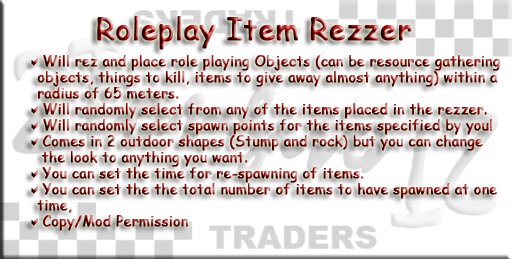
This script is used to set to create a rezzer for RP objects (plants, animals, etc.) for players in a sim to interact with.
Features:
---------
1 Will rezz any one of a number of items placed in the object
2 Rezing of objects takes place at a time interval set by the owner
3 Any number of "spawn" points can be set to act as random locations for objects. All rezz points must be within 65 meters.
4 Controls the population of the objects not allowing the number of objects to go over a specified limit
5 Can report who has interacted with the objects spawned
6 Works with 2Tone "RPResourceLooter" and "AnimalDamageTracker" script packs
Contents:
---------
This package should contain 1 script, and 5 note cards. The contents and their descriptions are as follows:
Scripts:
--------
RPThingSpawner - Handles all the spawning and population management operations of the rezzer.
Note cards:
-----------
This application uses note cards with special names to set up the operational parameters of the animal. Each of the note cards has the name format:
"<PARAMETER>=<VALUE>" where
<PARAMETER> - is the parameter to be set
<VALUE> - is the value to assign to the parameter
The actual contents of the note card is not important, though you will find in each note card instructions for use.
SPAWNTESTTIME=300.0 - This note card is used to set the number of seconds to wait before doing a Spawn animal test. DO NOT set this to a low number or you will generate excessive lag due to timer events in a sim. The default is set to 300 seconds or every 5 minutes.
POPULATION=5 - This note card is used to set the max population of the animals/things to rez. If the population exceeds this limit all of the items/animals will be removed and forced to re-spawn to maintain population levels. Default is set to 5.
AUTOCENSUS=off - This note card is used to set turn on/off the auto-census feature. When auto census is on, every 3 spawning tests a complete census of the items will be performed to maintain the animal/item populations. Set it to 'on' to turn on auto-census and to 'off' to turn off the auto census. The default is 'off'.
THINGTOSPAWN#=NAME,x,y,z - This note card is used to set indicate what creature will be spawned by the rezzer and how to rotate it so it spawns in the correct position. You can add as many of these note card to the rezzer as you want to create a POOL of things/animals to rezz. The rezzer will pick the animals randomly from this pool. To indicate the item/animal change the "#" in "THINGTOSPAWN" to a number, and then replace "NAME" with the name of the item/animal to spawn. Then The value is of the form "<X,Y,Z>" where X, Y, and Z are the X, Y , and Z rotation of the object to apply. Make sure to put each of these items in the rezzer and be careful to make the name EXACT.
SPAWNLOC#=x,y,z - This note card is used to set the spawn locations for the rezzer to use. You can create as many of these as you like. Just set the name to "SPAWNLOC#" were "#" is a number and then set the value to the location to spawn. The value is of the form "X,Y,Z" where X, Y, and Z are the X, Y , and Z coordinates of the spawn point. The easiest way to set the spawn points is to go to the location in the SIM where you want to spawn the thing and use your world map or you location line at the top of your viewer to get the coordinates. The spawner will pick a random spawn point from this list to use when rezzing the next item/animal. The spawn points cannot be more than 65 meters from the rezzers location. Use "Spawn CHK" to validate them.
How to use it:
---------------
Fast Rezzer set up:
1 Unpack your rezzer kit into your inventory.
2 Drag and drop the rezzer from your inventory into the world where and place it where you ant it (there may be more than 1 copy in your distribution).
3 Put all rez items in rezzer object.
4 Create a copy of the "SPAWNLOC#=<x,y,z> " note card for every spawn point to set inside the rezzer. Rename each copy replacing the '#' with a number (your choice) and "<x,y,z>" with the location of each spawn point name of the thing to rez. The value is of the form "<X,Y,Z>" where X, Y, and Z are the X, Y , and Z coordinates of the spawn point. The easiest way to set the spawn points is to go to the location in the SIM where you want to spawn the thing and use your world map or you location line at the top of your viewer to get the coordinates. The spawner will pick a random spawn point from this list to use when rezzing the next item/animal.
5 Click on the rezzer and press the RESET button in the dialog.
6 Shape and texture the Rezzer any way you want and place it in sim. Remember the rezzer cannot place rezzed objects more than 95 meters from its placement point.
Using the scripts from inventory:
1 Copy "RPThingSpawner" into the re
