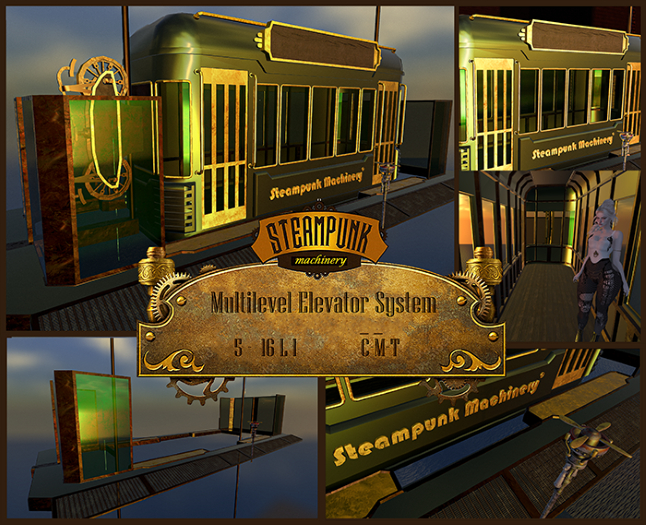

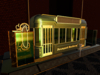
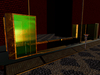
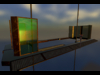
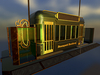
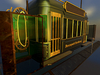
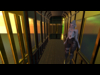

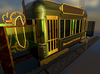
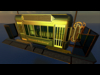
Here is the new multi-level elevator system from Steampunk Machinery! The system is scripted by the famous JoshuaTV Bates scripter and allows you to create infinite levels with extreme ease of configuration and programming of note tickets.
The system includes the elevator with the 'elevator' script inside, copy only, the editable 'setup elevator' tab to set the height parameters of the levels, and the renamed sounds 'soundrun', 'soundstart', 'soundstop', which you can customize by inserting your own renamed sounds as above. Then there are the call poles with the 'callElevator' script inside, copy only. In edit mode of your elevator, set the name of your choice in the name line (I used 'SM_Elevator Cabins'), then copy this name into the call post, but this time in the description line, while in the name field, write the floor number, 0 for the ground floor, then 1, 2, 3, etc., going up.
Two differently renamed elevators will move independently of each other. Two elevators renamed with the same name move together using the single elevator control. To make them independent, you will also find the channel number within the tab: change the channel number on one of them. In this way, using the control of the single lift, it will move independently; If you make a call with the call button, both will reach the call plan. If you need total independence, then rename the lift and call buttons to different names.
HOW TO USE THE MULTI-LEVEL ELEVATOR
After programming the tab with your level values, reset the script by placing the elevator car on the ground floor.
Tap on the car doors to enter, wait for them to close, then tap on the elevator car and the blue menu of programmed levels to reach will appear.
Wait for the booth to stop, then tap the doors to exit.
To call the elevator car to the floor, use the call pole.
FEATURES
The package includes 3 types of pre-assembled DEMOS that will help you understand how they work and learn simple programming:
- A DEMO of 3 elevators with 3 levels, with different names and with the same names but on separate
channels - A DEMO with a single two-level
elevator - A DEMO with rezbox
It includes the SM_elevator cabin, the platform on the ground floor, the platform for all upper levels and the pole with call system, to be reproduced in some demonstration models.
To facilitate positioning, the geometric center of gravity of the cabin coincides with that of the platforms on the ground floor and upper levels; Simply copy the coordinates of the cabin at each fixed level and paste them into the coordinates of the platform to position it perfectly.
Do not operate the doors when the elevator is moving, as this may cause the scripts to malfunction.
Remember that the default location is the cabin on the ground floor. If you reset the scripts to a different height, the elevator will interpret this as the ground floor.
The SM_Multilevel Elevator system is sold as a Copy-Mod, it is textured with PBR materials that you can replace as per your preference.
The weight in LI and dimensions are:
-SM_Elevator Cabins 9 x 2.5 x 4 16LI
-SM_Elevator Ground Floor 11 x 4.20 x 2.25 6LI
-SM_Elevator Upper Floor 11 x 4.20 x 2.25 6LI
-SM_Pole Call System 0.43 x 1.35 x 0.43 5LI
The rails are simple demonstration cylinders that can be adjusted in height at will.
Mesh weights change as individual pieces are resized.
Included are DEMOS that can be re-assembled either as an assembled unit or using a rezbox. REMEMBER THAT FOR ANY CABIN MOVEMENT, THE SCRIPT MUST BE RESET WHEN IT IS ON THE GROUND FLOOR - IF YOU USE THE REZBOX, PRESS THE POSITION BUTTON AFTER EACH MOVE
If you need any assistance or information, please contact AsahelVerne Absinthe via message and I will contact you if I am not online at that time.
- steampunk
- elevator
- platform level
- ground level
- infinite levels