![[SS] Glasses: Strangers](https://slm-assets.secondlife.com/assets/1103235/lightbox/6952dc98d59c67b83da9b8ad96ca6e9a.jpg?1277192302)
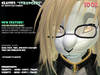
Glasses: Strangers
Brought to you by Spottycat Studios
Designed by: Tasho Fairplay
This pair of glasses features the collaboration designed Color Picker.
For this release, the HUD is considered to still be in beta. I'm still learning to mess with sculpt making, but I'm slowly getting used to it. :D
Anywho, here's what you need to know. Please read carefully because if you ask me questions regarding stuff listed in here, I reserve the right to scold you or tell you to read the notecard. >:3
IMPORTANT NOTES:
* To use the hud functionality, wear the included HUD and the glasses labeled `+CP` (colorpicker).
*
* When you equip the hud, it should be just barely off of the screen, and it only plays friendly on the right side. It must be worn on the right side to function as intended. This may be changed in future releases, but will not be at this time. - please do not contact me regarding bugs related to using the hud in spots other than the default attachment point.
* TO ACTIVATE THE HUD: Click on the glasses, or type the command ` /4 color ` - choose an object group from the menu, select the color on the hud and click the checkmark.
* The HUD will time out after 2-3 minutes if for some reason it goofs up.
* If for some reason you cannot see the hud even after you've equipped it & activated it, and it's in the default attachment point, you will need to edit your HUD placement. It's recommended that you place the left edge of the hud just barely off to the side of the screen.
KNOWN BUGS:
* Due to an LSL code screw-up, it is sometimes required that you must click the glasses twice in order to get the pop-up menu.
-----
All that being said - enjoy the glasses and feel free to shoot me some feedback regarding them. I love to hear back from my customers.
Lenscrafter,
Tasho Fairplay
