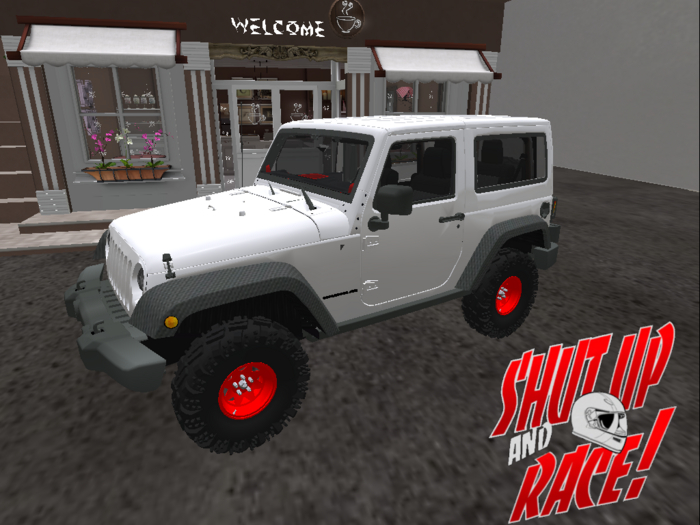

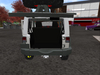
Thank you for checking out our product. This vehicle come with functioning doors and seats 4.
This item is Copy/Mod the scripts are not Mod so it may appear as a no Mod.
On most, but not all, SUAR vehicles you can open the doors by touching them.
To drive Right click and sit by selecting drift.
Controls:
Change Gears: Pg Up gears up, Pg Dn gears down/Reverse
Reverse: When shifted into reverse press up arrow.
Forward: When forward gears are selected press up arrow to move forward
Drift/Power Slide: Hold the Shift key while turning
Turning: use Left and Right arrows
Brake: Hold down the down arrow
This vehicle does have a menu. To open the menu touch the top of the vehicle.
From here you will find Different settings as described below:
Turbo: Checking the turbo will add NOS to the vehicle, hold up arrow and down arrow to activate.
NOTE: If vehicle isnt set for NOS it raise/recover up into the air. To learn more see Advanced Settings Below
Record: Record will record the vehicle position when selected
Engine: Turns engine on and off
Locked: Will not let anyone else drive vehicle. Also will not allow passengers to sit
Horn: Sounds the horn
Shift up: Shifts the gear up (For other convience use the pg up button on your keyboard)
Shift down: Shifts the gear down (For other convience use the pg dn button on your keyboard)
Lights: Turns the headlights on and off
Burnout: Creates a burnout. When selected while driving it should last for about 30 secs
Options: Will take you to more advanced options
Position: This opens up the menu to adjust your sitting Positions. Its best to make sure you have a copy in inventory before you ever adjust any settings just incase you cant correct any mistakes made.
Return: Selecting this will return the vehicle to the recorded position.
Option Menu:
Passenger: Allows passengers to sit or not to sit
Alarm: Alarm system
Eject: Ejects the passenger
Lighting: Turns lights on or off
Camera: Adjust the camera position
Controls: Adjust the vehicles Gears, Skid, etc. Suggested to not adjust till you are more familiar with vehicle
Main: Returns to main menu
Advanced: In the Advanced menu you will find NOS/Recvr this will turn turbo option on or off
Finished: Closes the menu
Graphics: Select this and then a color group and change color of vehicle. NOTE Not all vehicles will have this option
