


SETUP
Touch the Hat: a Blue Dialog appears for the owner (only)
Options in Dialog:
How to put items inside the hat:
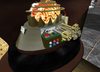
Rez the Hat inworld (67 prims) rightclick it:
Go to Edit/build
Go to the content Tab
Drag n Drop things from your Inventory(NO scripts please!)
Take the Hat back to your Inventory.
Attach (wear) the Hat
It asks you permission to animate your avatar.
Allow this please
This is for the Animation Module (see below)
Touch it :
A blue dialog opens...:
DIALOG OPTIONS:
Landmarks
opens the map to teleport from Landmarks you drop inside (try to keep the names short then its easier to find them in the dialog...)
To enable this function (Opening Map) the hat MUST be attached. It does not work when you have rezzed it inworld..
Notecards
You Drop Notecards inside and the Hat reads them for you in IM.
I decided not to read it in main chat because i hate chatspam, if you need another Version what tells it to open chat just let me (Maximillian Merlin) know.
This Button opens the selection dialog of notecards.
IMPORTANT Due to LSL-Restrictions the note reader can not read notecards with included item like Landmarkks and other things. Reading will silently fail or stop at a certain point. So keep your notecards clean .-)
Rezzer
Drop Objects inside your hat and rez them
This Button opens the selection dialog of rezzable objects in your hat.
Brainfog
This Button starts the Fog around your hat and plays a random electricity sound.
Steam
If you click here the blowover valve will emit a steam fountain and play a steampunkish blowover whistle :-)
DELETE
You have thing inside your Hat you do not need anymore?
This Button opens the selection dialog of items in your hat you can delete.
Don t worry. It does not allow you to delete functional parts.
GiveMe
you need something back to your inventory from your hat?
This Button opens the selection dialog of items you can get from your hat.
GiveAway
This Button opens the selection dialog of items you can give to other avatars nearby from your hat. The Give Away Button can handle Objects, Landmarks and Notecards.
BRAIN
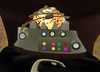
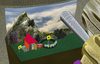
The most important Button it flips the upper hatsculpt so you can look in and see the brain and all the other stuff. Click BRAIN Button again to switch back:
Fire
Burning hat
Click Fire Button again to stop fire.
Animations
Drop Animations or Dances inside
Limitations:
you can not have more than 22 animations;
Animation name must be shorter then 24 characters
You can't have an animation named "stand". If you want this, rename it to something else like "Stand", "STAND", "_stand", etc..
Sounds
The hat has 44 built in sounds you can trigger . Included are the client sounds so you make people crazy by playing the Cash in sound or the IM Ping :-) I added some of my sounds to it.
I really created this Hatscripts to suit MY needs. I hope you enjoy it.
Let me know about new features you need , if they make sense to me, i will try to build them into the next version.
- Reads Notecards
- Rezzer, Funsounds
- Rezzer, Funsounds Opens Map from Landmarks
- many special effects like burning hat, fog
- Dialog Controlled


