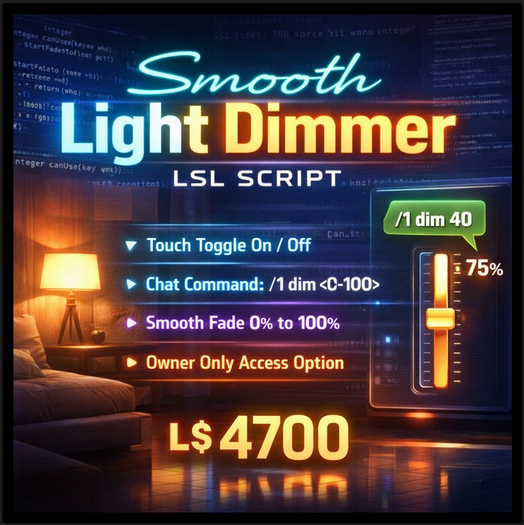

Lighting changes everything. It shapes mood, atmosphere, realism, and immersion. Whether you're building a cozy home, designing a stylish club, or creating an interactive environment, static lighting just doesn’t feel alive. That’s where this Smooth Light Dimmer LSL Script comes in.
This script turns any prim into a fully controllable, smoothly fading light system that behaves exactly how modern lighting should — responsive, natural, and easy to control. No sudden jumps. No harsh transitions. Just clean, gradual brightness changes that feel realistic and polished.
At its core, this script is built for creators who want control without complexity. Drop it into a prim, and your object instantly becomes a smart dimmable light. Touch to toggle power. Use chat commands to set precise brightness levels. Let the system smoothly fade between states for a professional, high-quality lighting effect.
It’s simple to use, but powerful enough to support serious builds.
Natural Lighting That Feels Real
Most basic light scripts switch instantly from on to off. That’s functional, but not believable. Real lighting doesn’t behave that way. It fades. It transitions. It responds gradually.
This script recreates that behavior by using smooth percentage-based fading. You choose the brightness level, and the script automatically transitions there step by step. The result feels far more natural, especially in immersive spaces like homes, lounges, roleplay environments, and event venues.
Even better — the script remembers the last brightness level. Turn the light off, then touch it again, and it returns to the previous setting instead of jumping to full brightness. Small detail, big realism.
Multiple Ways to Control Your Lighting
Control is flexible and intuitive.
You can interact directly by touching the object, which instantly toggles between off and the last active brightness level. That makes it perfect for everyday use — like a real light switch.
But when you need precision, chat commands give you full brightness control from 0% to 100%. Want soft ambient glow? Set 20%. Need strong lighting for display or workspace? Set 90%. The adjustment is smooth every time.
This dual control system makes the script practical for both casual use and advanced environment management.
Built for Single or Multi-Prim Objects
Lighting in complex builds often involves linked objects. Lamps, chandeliers, wall fixtures, decorative lighting panels — they all require consistent brightness across multiple prims.
This script handles that easily. You can configure it to control only the prim it sits in, or apply brightness changes across an entire linked object set. That means uniform lighting with zero manual adjustment.
For builders, that saves time. For users, it keeps lighting visually consistent.
Owner Control When You Need It
Sometimes lighting needs to stay protected. Public environments, rental properties, and shared builds often require restricted access.
This script includes an owner-only control option that prevents unauthorized users from changing brightness or toggling power. Turn it on or off anytime with a simple chat command.
You stay in control of your environment.
Fully Customizable Visual Style
Brightness isn’t the only thing you can control. The script also adjusts glow, transparency, and fullbright dynamically based on brightness level. That combination creates the illusion of true light intensity instead of just color change.
You can also set any light color using RGB vector values. Warm yellow, clean white, soft blue, dramatic neon — whatever suits your environment. The script adapts smoothly across the full brightness range.
That means one script works for home lamps, sci-fi panels, nightclub lighting, decorative objects, and more.
Smooth Performance, Low Lag
Performance matters. Especially in detailed regions or crowded environments.
This script is designed with efficient timer control and fast primitive parameter updates. It only runs when fading is needed and stops automatically when the target brightness is reached. That keeps resource usage low while maintaining smooth transitions.
It’s reliable enough for large builds and responsive enough for real-time interaction.
Easy Installation, Immediate Results
No complex setup. No external configuration. No dependency systems.
Just drop the script into your object and it starts working immediately. Default settings provide full brightness with smooth fading, and all behavior can be adjusted directly inside the script if you want custom behavior.
It’s beginner-friendly, but flexible enough for experienced creators.
Perfect for Many Use Cases
- Smooth brightness fading from 0% to 100%
- Touch toggle with memory of last brightness level
- Chat command control for precise lighting adjustment
- Supports single prim or full linked object lighting
- Optional owner-only access protection