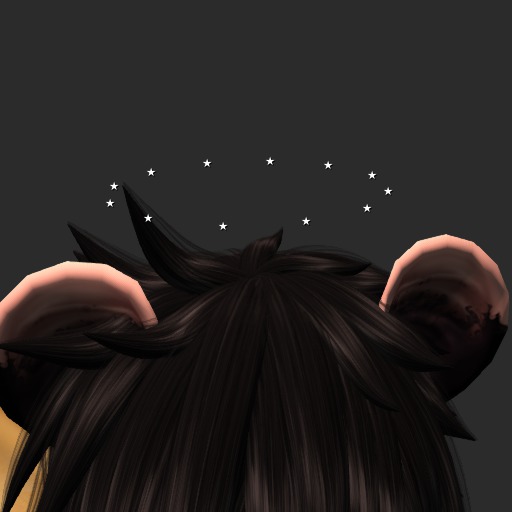


The text crown spins some text above your head or around any other attachment point you choose. It is customizable through chat commands on channel 111 by default. What channel commands are entered on can also be altered by changing the description to the channel you want to use and reattaching or resetting.
1) Commands
-----------------
To reset any setting to its default value, use the value "default" for the command.
Here is a list of available commands:
"/111 text <string>"
This command changes the text that floats above your head. Entering one character will apply it to each rotating prim, whereas strings longer than one character will cover only the amount of rotationg prims necessary. Values that are too long will be truncated.
"/111 color <value> [value2]"
Changes the color of the rotating text. Accepted values are in the formats:
i) Hexadecimal color codes, e.g. #FFFFFF
ii) RGB color codes, e.g. rgb(255,255,255)
iii) LSL color code, e.g. <1.0,1.0,1.0>
iv) "rainbow" - Turns on rainbow transitioning
The optional value2 is another color which will enable transitioning back and forth between the two color values.
"/111 alpha <integer>"
Changes the alpha percentage of the text. Value range is 0-100
"/111 dist <float>"
Changes the distance of the rotation prims from the pivot point.
"/111 rps <float>"
Changes how many rotations per second the floating prims will try to achieve.
"/111 info"
Displays the current settings.
"/111 reset"
Resets the script.
"/111 help"
Gives a help notecard.
2) For Modders
-------------------
If you want to add more text prims to the crown, link the new prims to the crown and then rename each link sequentially, starting after the name of the last prim in the sequence (This by default is "12", so you would start at "13", then the next prim would be named "14", etc.). Reset the script and the prims should be positioned evenly in a circle. You can also remove text prims from the crown and simply relink and reset.
- Floats spinning text above your head.
- Customizable text, color and alpha.
- Control the rotation speed and distance from the pivot center.
- Modifiable.
