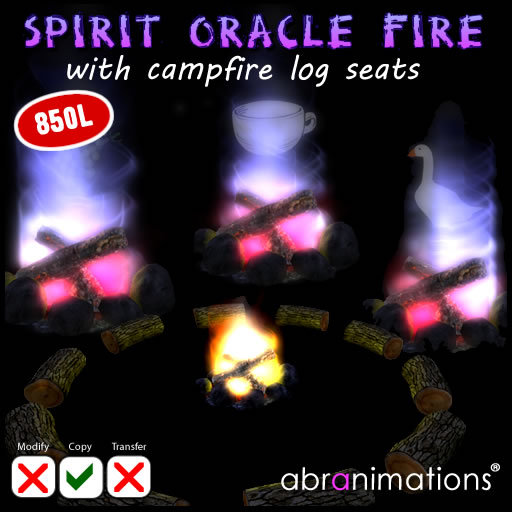

Spirit Oracle Campfire by Abranimations
This is a fun oracle campfire. It includes seating for yourself and your friends along with a magical fire you can click on to get a quick oracle reading.
Included in this package are the following items...
Campfire Log Circle (10 seats) - 10 log seats in a circle. Each seat has 10 mocap animations built in. (8 prims)
Single Campfire Log Seat - Single log seat if you would rather create your own arrangement. (4 prims)
Spirit Oracle Fire - This is the main oracle fire to be placed in the middle of the circle (or by itself if you prefer) (1 prim each)
SEATING INSTRUCTIONS
When you are seated on one of the logs you can click on it to select a pose.
NOTE: You can only click on the log you are sitting on.
SPIRIT ORACLE FIRE INSTRUCTIONS
1. Clicking the base of the fire will cause it to start/stop
2. Clicking on the fire will cause it to turn blue and create an oracle image.
(The oracle system built in comprises of various symbolic images similar to tea leave reading)
3. A simple interpretation of the symbol will also be displayed in chat
CUSTOMIZE OPTIONS
1. The spirit fire can be customized by editing its contents.
2. Any images inside the fire will be chosen at random when the fire is clicked.
3. The notecard in the oracle fire called '!Descriptions' contains the meanings for each image.
( To configure a meaning enter the name of the image on a line followed by a | symbol followed by a short description. )
4. The !settings notecard has the following options you can configure...
time_image_is_visible=10 (SET TRUE OR FALSE)
- This is how long the oracle image will be visible for.
sounds=TRUE (SET TRUE OR FALSE)
- This will turn the oracle sounds on/off
fire_crackling_sounds=TRUE (SET TRUE OR FALSE)
- This will turn the fire crackle sound on/off
say_meanings_in_chat=TRUE (SET TRUE OR FALSE)
- This will enable/disable the meanings in chat
Copyright 2015 Abranimations (R)
by Abramelin Wolfe & Wildcat Snowpaw
