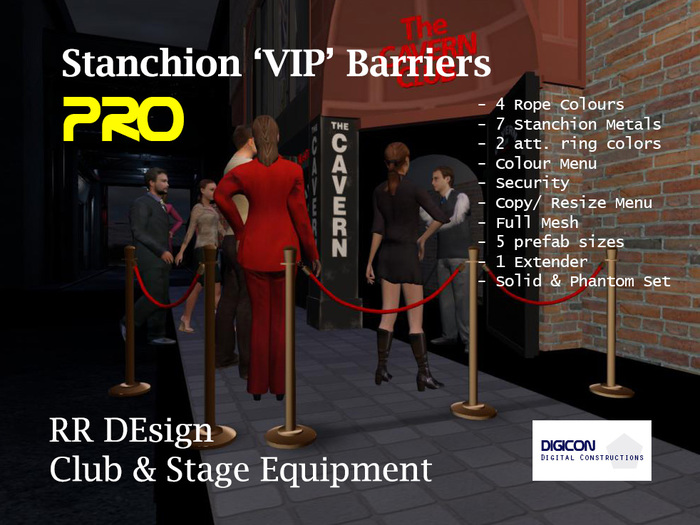


STANCHION 'VIP' BARRIERS PRO
====================
Manual
=====
In the box you'll find 5 copyable sets (MKIIs = solid).
Set 1 = single stanchion with 2 poles (1.25m - Li3)
Set 2 = dual stanchion with 3 poles (2.50m - Li 3)
Set 3 = stanchion with 4 poles (3.75m - Li3))
Set 4 = stanchion with 5 poles (5.0m - Li4)
Set 5 = extension stanchion (1.25m - Li2)
In the box you'll find 5 copyable sets (MKIIp = phantom).
Set 1 = single stanchion with 2 poles (1.25m - Li3)
Set 2 = dual stanchion with 3 poles (2.50m - Li 3)
Set 3 = stanchion with 4 poles (3.75m - Li3))
Set 4 = stanchion with 5 poles (5.0m - Li4)
Set 5 = extension stanchion (1.25m - Li2)
Colourmenu
==========
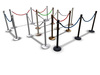
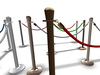
With the colourmenu you can select your personal look of the stanchion. For the poles each set has 7 metal colours and 4 rope colours. That means 28 combinations per set!
Touch the stanchion for the menu to appear when it has loaded (about 5 seconds).
Resize Menu
==========
Touch the shadow below the stanchions for the resize menu. You can change the size of the stanchion in steps of +1/-1, +5/-5, +10/-10. Save when finished. Restore to get back to the original size.
Settings
======
Access = Operation by Owner, Group, or All
Report = Message of colour/ texture change on/of
Reset = Reset to default settings
STAND = Select pole metal colour:
SILVER = Normal, medium, high (sheen)
COPPER = Normal, Rose, Dark (antique)
BLACK
ROPE = Rope colour selection:: White, Red, Blue and Green
RING = bronze or steel
^ Menu up
x Close menu
Note: The menu will timeout in 60 seconds. To get back to the menu touch the stanchion again.
Thanks for buying. Join our support group for news and updates: 'DiGICon | RR DEsign VIP'
DiGICon® | RR DEsign©2019
Rebecca Rozen CEO
- Colour and Texture Menu
- Resize Menu
- 5 Low prim prefab sizes - High LOD
- 1 Extender
- Solid & Phantom set in the box

