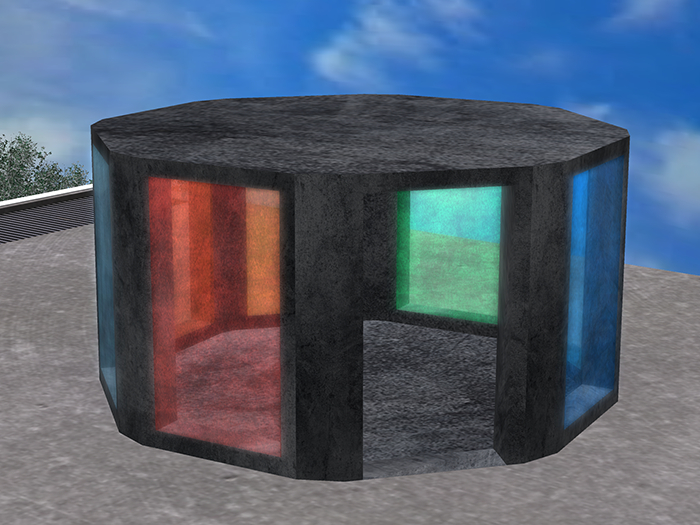
The Stargate Portal Hub will allow you to set any locations in Second Life as the destinations.
Once set, all you need to do is click a portal to be instantly teleported to any place on the grid.
IMPORTANT - To use, follow these simple steps:
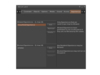
1. Rez the portal hub and Edit it.
2. Click the "Edit Linked" checkbox and select one of the transparent portals by clicking on it.
3. You will know you have the right item selected if the Content tab shows "Magic." If the Content tab has "Set Colors" you are either not editing in linked mode, or you have the frame selected instead of an actual portal.
4. Paste a Landmark. The Content tab should now show the landmark you pasted and "Magic". (There is no need to rename the landmark, the portal will select the first landmark alphabetically as the destination).
5. Repeat the process for the other six portals. Each portal can go to any destination on the grid.
The portal uses Second Life Experiences. If you have rights you can enable it for the whole region, otherwise just enable it for your parcel.
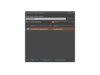
6. Go to Region Details or Parcel Details in the World menu, and go to the Experiences Tab. (The last, or next to last tab, respectively).
7. Click Add, and in the Choose Experience window, enter part of the name "Cloverfield Experience" and click Go.
8. When the Cloverfield Experience shows up in the results, highlight it and click Ok. This will add the experience.
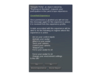
9. The first time you click a portal or walk into it, you will be asked to accept the experience. Click Ok.
That's it! From now on, clicking a portal or walking into it will instantly teleport you to the destination.
The portal hub has modify permissions, so you can select individual portals and set their colors separately. Clicking on the gray frame will let you set colors the portals via the menu system.
- teleport
- portal

