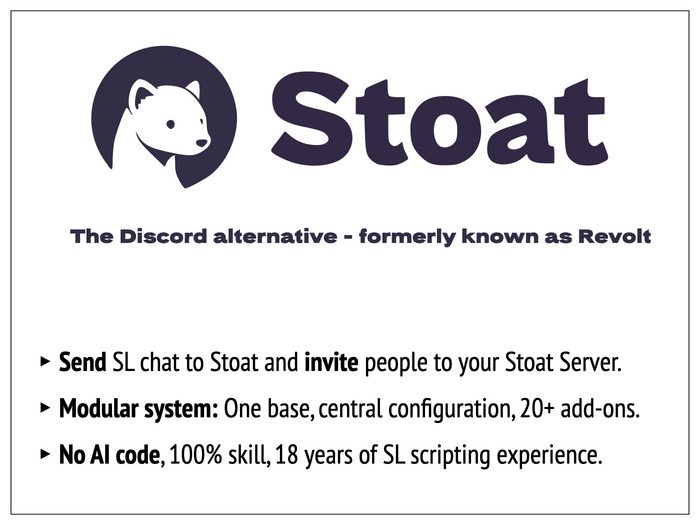




Congratulations, you are about to acquire the most versatile and most flexible tool for Stoat in SL. Initially designed for Discord as a fun toy for personal use in 2019, but it has evolved quite a bit since then. Today, it is the leading solution for everything Stoat related, and can be expanded in a flexible and economic way for personal or professional use. This product is in continuous development and receives frequent updates and improvements.
How does it work?
▀▀▀▀▀▀▀▀▀▀▀▀▀▀▀▀▀▀▀▀▀▀▀▀▀▀▀▀▀▀▀▀
The relay is chat activated, just like your smartphone works with "Hey Siri" or "Okay Google". Once you type the command (The default is "oi stoat", but can be changed by you) open chat is transmitted to Stoat.
It transmits a maximum of 100 lines of text for a maximum of 20 minutes. Both values are configurable. The default is 5 lines of text within 60 seconds. The maximum limit is deliberately done in order to avoid the object to siphon open chat indefinitely. Doing this would be in violation of Second Life's Terms of Service (SL-ToS) and Community Standards (SL-CS). However, there are scenarios where an unlimited version might be acceptable. If you have the need for this, please get the "Stoat Conference" add-on script available from my shop on the Second Life Marketplace.
Once activated, the relay announces itself in open chat, indicating how many lines of chat and for how long it will relay. This is in accordance with SL-ToS and SL-CS (see below), and gives any avatar present enough warning to stop talking, if they don't want their chat relayed. Consequently, the relay also announces when it stops relaying the chat. It only relays actual avatar chat, but ignores objects. The chat that appears in Stoat uses the display name and profile picture of the avatar.
Please note: Using add-ons with the Stoat Relay does NOT require chat activation and is also not subject to length/time limits. Most add-ons run indefinitely from startup on, or have other activation mechanisms.
Is this allowed?
▀▀▀▀▀▀▀▀▀▀▀▀▀▀▀▀▀▀▀▀▀▀▀▀▀▀▀▀▀▀▀▀
To the best of my knowledge, I can confirm that this system operates fully within Second Life's Terms of Service (ToS) and Community Standards. The transmission is announced openly, is limited in scope and shuts itself - with an announcement again - down. It therefore follows the requirements of the Community Standards and should not find you in violation of the ToS.
The Mesh object
▀▀▀▀▀▀▀▀▀▀▀▀▀▀▀▀▀▀▀▀▀▀▀▀▀▀▀▀▀▀▀▀
The provided mesh objects are original designs, explicitly made for this product, and optimized for SL. It is superior to all other Stoat mesh logos you can currently find on the Marketplace, so there is no need to pay extra or go with a substandard solution.
Other features
▀▀▀▀▀▀▀▀▀▀▀▀▀▀▀▀▀▀▀▀▀▀▀▀▀▀▀▀▀▀▀▀
If an avatar touches the object, they get an instant message telling them how to activate the object.
If an avatar touches the object, the device can act as a Stoat Server Joiner / Stoat Server Inviter, giving the avatar the URL to join the Stoat server. Within Stoat, you can create an invite URL (attention: by default it is only valid for one day - you need to check the option to make it permanent) for any channel on your server. This can be stopped via the "silent" configuration setting.
If someone in open chat mentions Stoat in a sentence - not the trigger phrase - the object advertises itself. This can be stopped via the "silent" configuration setting.
The relay reports region restarts to the designated channel. It uses a map-view of the sim as icon for those purposes.
Translator HUD's / Naming HUD's and similar objects worn by an avatar, that change their chat, are now supported.
Extensions / Add-Ons / Plugins
▀▀▀▀▀▀▀▀▀▀▀▀▀▀▀▀▀▀▀▀▀▀▀▀▀
The Relay's functionality can be extended by add-on scripts. Not everybody needs all the functions we develop, or come up with, so we decided for this approach. If you need a specific functionality, check if there is a plugin-script available at: https://marketplace.secondlife.com/stores/10343 or contact us directly.
Drop-in scripts need to be dropped into the same object the main script resides in. Please refer to the documentation provided with the respective add-on scripts. The configuration of the add-on scripts gets handled in the configuration notecard of the main script.
Known Issues & Limitations
▀▀▀▀▀▀▀▀▀▀▀▀▀▀▀▀▀▀▀▀▀▀▀▀▀▀▀▀▀▀▀▀
Please be aware that this is a one-way-chat only, from SL to Stoat. Two-way chat would need to have a server object outside of SL - which would incur not only a massive deal of development but would also incur running costs and create security and privacy issues. If you require two-way-communication, you might want to investigate into SL-Bots.
Version history
3.01.03 2024-12-02 Revolt beta
3.01.06 2025-06-11 Added emoji transcoding
3.01.07 2026-02-09 First public Stoat release
3.01.09 2026-02-11 Added more add-on emojis and added role support.
- Stoat Bot sends open chat to Stoat.chat (formerly Revolt) (from SL to Stoat)
- Stoat Server Joiner functionality: Click so others join your Stoat server
- Reports region restarts to Stoat - track all restarts from your Stoat server
- Stoat support for translator- and naming HUD's to Stoat server chat
- Stoat base relay can be extended by many addon scripts for your Stoat server


Works just like the discord version!
Easy drop in replacement for their discord relay, perfect for those that are looking to drop discord after their recent controversy. Documentation and support are fantastic!