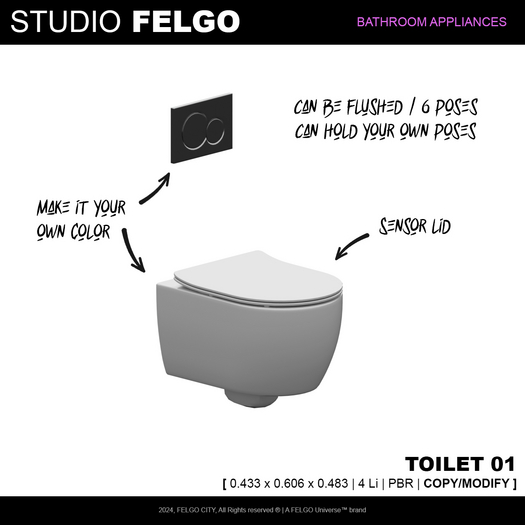

[ Description ]
Working toilet with flushing feature
Use your own animations with it or choose from the 6 poses that come with it
single animations only
[ Features ]
- PBR
- Working water
- Animated
Studio FELGO // Toilet 01
[ 0.433 x 0.606 x 0.483 | 4 Li | PBR | COPY/MODIFY ]
[ Utilization manual ]
A/ Sensor lid
The lid automatically opens and closes when sensing anyone nearby, it can also be manually opened and closed.
B/ Flusing
Left click the toilet to open its menu and click on the "Flush" button to flush your toilet.
C/ Sit on the toilet
Right click your toilet and select "Sit here"
Left click the toilet to get its menu and choose different poses from the "Animation" button
Use the "-- Adjust --" button to adjust your position if needed
D/ Adjust Colors
Your can adjust the colors of your toilet using the edit menu manually as it comes in modifiable rights.
E/ Use your own animations
Step 1 : Drag your pose from your inventory to the content of your object
( Edit window > Content tab)
Step 2 : Open the notecard "! SWISYS Positions" in the content tab of your object
You will see a few lines as such
"POSE NAME"^any^"<location>"^<rotation>^none
Create a new line with your pose's name, then adjust the location and the rotation of your pose as such : "POSE NAME"^any^"<location>"^<rotation>^none
https://felgouniverse.com/
2024, Studio FELGO, All rights reserved, A FELGO Universe™ brand
- PBR
- Working water
- Flushing water
