

✧・゚: *✧・゚:*:゚✧*:・゚✧・゚: *✧・゚:*:゚✧*:・゚✧・゚: *✧・゚:*:゚✧*:・゚✧・゚: *✧・゚:*:゚✧*:・゚✧
Click "Watch it in action" ⇧⇧⇧ under the picture on this page to see the animated GIF of the item.
✧・゚: *✧・゚:*:゚✧*:・゚✧・゚: *✧・゚:*:゚✧*:・゚✧・゚: *✧・゚:*:゚✧*:・゚✧・゚: *✧・゚:*:゚✧*:・゚✧
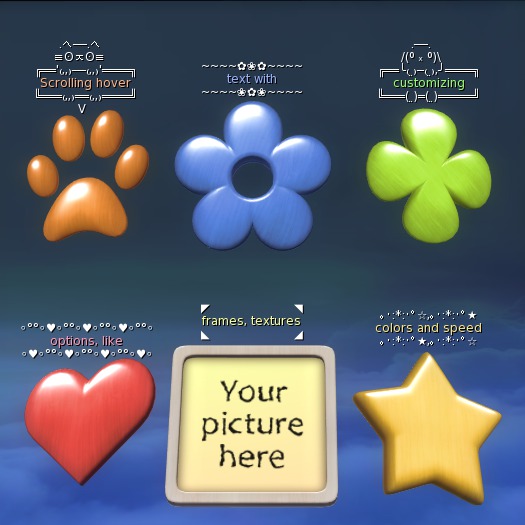
This is a set of 6 objects, scripted to show running hover text above them. In their original size they count 1 prim.
It may be useful in your store, when you need to show some extra description for your items. It may also help in personal use, to set notes and reminders for yourself, or maybe to wear on the head as a status tag... up to you.
You can set any text, that uses characters supported by Second Life scripts and viewers. The maximum length is 250 symbols (some LSL scripting restriction), if you use special characters like hears, stars etc, it can allow less symbols, because special characters count more. By default, the shown piece of the running text above the prim at a single moment is 15 symbols, and it scrolls the whole configured text inside the frame. You can adjust the speed and stop scrolling, so it will just show text in a frame. You can also set the width of the shown text piece to more or less than default 15 symbols, (available widths: 10, 15, 20, 25, 30, 35, 40, 45 symbols in a row). If the scrolling is disabled, and the text length exceeds the available width, the text will be broken to some rows to fit the configured width.
The frames are fully customizable. You can choose from 27 ready frames or set your own by pasting/typing to the text dialog box your favorite things like this ❤•*¨*•♫ . You can also hide the frame and leave only the text to show.
Both text and frame have separate color control, which you can adjust with precision.
The objects that hold the script have selection of 8 differently colored textures. They come in shapes of Heart, Flower, Clover, Paw, Star and Sign. The Sign object looks like a picture in a frame, where you can set your own picture, so it functions like a double sign - shows your sign / logo / info on the picture and scrolls the hover text above.
The whole hover text can be turned off, when you don't need it.
That's all about the main functionality.
If you need to take the script out of the original object and place it in your own, you can make this, though not every object fits the script by default. To make it work properly in other items, they should consist of 2 linked prims, which should be placed in exactly same location and they should have same width on Z axis, so the script will work. You don't need to write this down - the script detects, when it's placed somewhere else and gives instructions in the chat.
This set also includes UV maps of all objects for those who want to make own textures for the objects.
Feel free to ask me (Moonhowler Snowpaw) if you have any questions.
✧・゚: *✧・゚:*:゚✧*:・゚✧・゚: *✧・゚:*:゚✧*:・゚✧・゚: *✧・゚:*:゚✧*:・゚✧・゚: *✧・゚:*:゚✧*:・゚✧
- scrolling hover text, text and frame recolor
- 6 object shapes with 8 textures each
- 27 ready frames + set your own or hide the frame
- scrolling speed control / stop scrolling
- UV maps for making custom textures


