
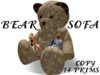
・ BEAR SOFA SCULPTED ・
2 SIT POSE
14 PRIMS
・ NO MODIFY ・ NO TRANSFER
★★★★★ Please dont forget to rate, thank you :-) ★★★★★
******************************************************************************************
NOTE FOR SCULPTED PRIMS
Debugging your LOD settings is something that can and will make all your sculpts hold the intended detail better.
Follow these easy steps:
1. Show the "Advanced" menu with Ctrl-Alt-D, or Opt-Ctrl-D on a Mac.
2. Select "debug settings" near the bottom.
3. In the blank space, copy and paste the word:
RenderVolumeLODFactor
4. In the box below, set the number. The recommended setting is as high as 4 to have all your sculpts looking as the creator intended.
******************************************************************************************
