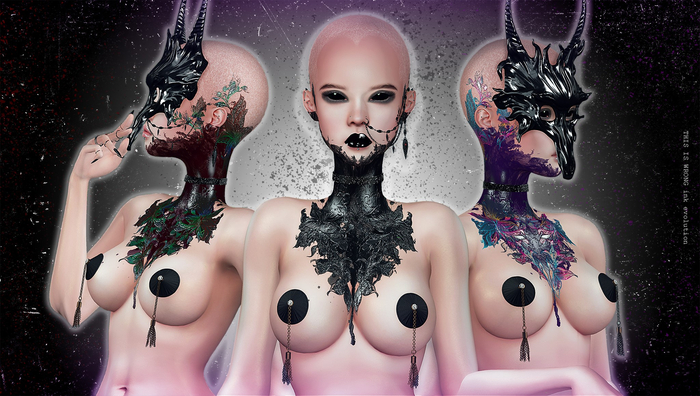

THIS IS WRONG Prejudice Shine+tattoo INFO
GIF PREVIEW: https://gyazo.com/d74b555585983cd694e066317831d591
>>> In the pack [purple (I), red (II), black (III) options]:
- THIS IS WRONG Prejudice shine+tattoo 3D - Omega <--- shine and tattoo worn together for Signature, Belleza and any other body supported by Omega Advanced
- THIS IS WRONG Prejudice shine+tattoo 3D - Legacy <--- shine and tattoo worn together for Legacy unisex (3rd layer)
- THIS IS WRONG Prejudice Shine 3D - Omega <--- only shine for Signature, Belleza and any other body supported by Omega Advanced
- THIS IS WRONG Prejudice Shine 3D - Legacy <--- only shine for Legacy unisex (3rd layer)
- THIS IS WRONG Prejudice Shine 3D - Omega Evolved <--- shine for material layers, for Signature, Belleza, Lelutka and any other body/head supported by Omega Evolved
- THIS IS WRONG Prejudice tattoo BoM (head and body) <--- default layer compatible tattoo (bakes on mesh)
- THIS IS WRONG Prejudice shine+tattoo 3D - Omega Face <---- shine+tattoo for heads supported by Omega Advanced
- THIS IS WRONG Prejudice shine 3D - Omega Face <--- only shine for heads supported by Omega Advanced
- THIS IS WRONG Prejudice shine 3D - Lelutka Evolution <--- only shine for Lelutka Evolution heads (wear it with BOM layers)
- THIS IS WRONG Prejudice shine+tattoo 3D - Catwa <--- shine+tattoo (1 button for makeup part and 1 button for materials part) only for Catwa Bento heads (from 4.0)
!!! Depending on the combination of body/head you use, we may suggest to wear a collar, cause many bodies/heads don't use the same shininess parameters
>>> MOVING LIGHTS AND PRET-A-PORTER LIGHTS FREE AT MAINSTORE:
>>> Materials and BOM bodies: https://gyazo.com/5e14e005fd369fb9fcdb646939966da2 Don't forget to activate the bridge HUD if you are using Slink, Belleza or Maitreya, at the tester area all links and teleports to catch the bridge HUDs:
>>> About Omega Advanced and Evolved
slpoweredbyomega.com/omega-advanced-and-evolved-features/ <---- INFO
http://slpoweredbyomega.com/supported-meshes/ <---- CHECK THIS LINK TO SEE IF YOU HEAD/BODY IS SUPPORTED BY OMEGA ADVANCED AND EVOLVED
>>> I don't see the effect!
- To see the effect please activate Advanced Lighting Model in Preferences > General
- Change the windlight sky to have the best effect!
- Add the lights in the pack to see the effect!
- Use a darker skin
>>> IMPORTANT!
- Make sure you have the last version of the body you are wearing! If you are not sure, make a redelivery!
- Before using an Omega HUD you have to activate the Omega Installer dedicated to your body!
-----
RECAP AND FAQ: https://thisiswrongsl.wordpress.com/materials/
See item in Second Life


