IMPORTANT: The "new marketplace listing" mess all my items, so for now (till I will be able to list again all the products) you can see and buy them INWORLD at my shop, SLURL: http://maps.secondlife.com/secondlife/Napoli/9/53/24
Sorry for that! Rokoloco
------------------------------------------------------------
perms = COPY MOD noTRANS
foot print = 170x157x95 (tall) meters - Needs a Full SIm Space
prims = 2754 (with the furniture, can be removed if you need save some prims)
------------------------------------------------------------
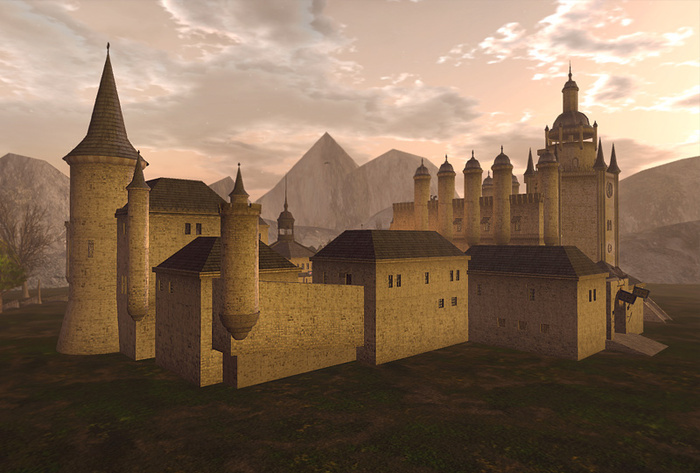
"TIAMAT": Babylonian name composed of the Sumerian elements ti "life," and ama "mother," hence "mother of life." In mythology, this is the name of a primeval sea dragon goddess, the embodiment of Chaos, and mother of the first gods.
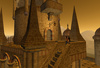
What can I say about this spectacular building?…just you NEED TO SEE IT!…this is worth a 1000 words.
An entire village in a harmonious medieval-style, it's all about what you need for your sim. Whether you want to use it for RP, a huge shop or simply your Kingdom, you and others will be surprised at how impressive it is.
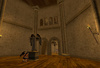
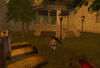
Tiamat Kingdom is composed of 5 houses/shops, a hotel, a bar, a church, a cemetery, a huge arena with cages for the wrestlers, where you can control when you open the doors to start the fight.
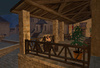
The massive mall, at the side, has 3 floors with plenty of room for products to sell, 2 bedroom (your office?) 2 luxurious terraces, one small and one big ideal for parties with a breathtaking view. Full of accessories, games of lights, furniture...
Just words…discover it now!.
------------------------------------------------------------
DOORS USE (Central Control):
All doors come with AeonVox system control (with documentation) for have the most customizable access.
Central Control & doors quick use:
- Left-click and hold over the door, after a few short moments your setup menu will appear.
- To manage all the doors with 1 click use the "Central Control" your setup menu will appear.
You will find several "Central Controls" in each house, church, arena, etc.
HUD for Doors and Lights:
You will find also a HUD (to wear) for control the doors and the lights of the Big Mall.
Only the "External lights" button will control the "outdoor lights" of the whole village.
The others button are ONLY for the Mall (anyway will find controls for each house for separate inside them)
For turn ON/OFF the fireplace, say the command in local chat (without quotes) "fireplace on" / "fireplace off"
IMPORTANT FOR REZZ THIS BUILD:
NOTE: This building need a whole SIM will remain space at the sides and in the front and rear for make that you want.
The Rezz-Box start to rezz front the main village entrance, so place it in the middle and near one side of the land first to rezz it.
1- Place the rezzbox at the ground in a large space.
2- Rezz the build by click the box and then "REZ", wait the message in local chat "All parts rezzed"
4- Drag (move) or rotate the rezz box until you find the desired position
5- When finish to place the build, and all is ok, click again the rezzbox and then click "DONE" (for remove the scripts of the rezzer), then can delete your rezzbox.
If need help for rezz and place the build feel free to contact me.
If you have some question i will be glad to help you, just drop me a notecard: rokoloco72 Zapatero
See item in Second Life