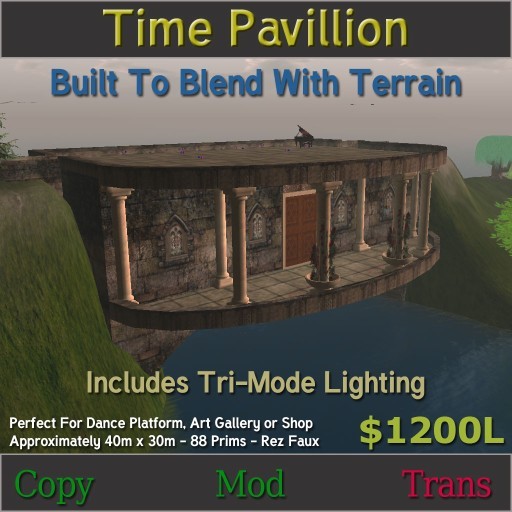

Time Pavillion was originally designed as a dance platform to be hung off of a cliffside, but as it happens during the course of construction I decided it should blend into the terrain and serve as a bridge and waterway. The textures give it an older weathered look. To preserve prim space, most of the larger parts of the structure use mega prims.
Oversize doors, and the columns give the structure an imposing look that is softened with rose vines on two of the front facing columns.
The building is packaged in a Rez-Faux box for easy positioning. Place the Rez-Faux box at the center of where you would like the structure to rez. Once rezzed you may simply move the box to find your final placement. Move the box, the building will follow. Once you have the building in place simply freeze the build and delete the box. I recommend that you leave the rez box out until you have adjusted the terrain to your liking. The Rez-Faux menu has a help button which will give you a notecard with further instructions regarding the use of a Rez-Faux packaged building.
Included in the Time Pavillion Package is also a notecard regarding the use of the Paskis Door System.
The lights included in the build use the Tungsten Tri-Mode Lighting script. Touch each light to toggle between three liging modes: On, Off and Auto. In Auto mode the lights will turn On and Off automatically at Sunset and Sunrise respectively.
I hope you enjoy Time Pavillion as much as we do at Far and Away. If you have any questions or difficulties please contact Kristopher Tungsten and I will help in any way I can.
** Piano and dance balls not included
See item in Second Life