
General Description
============
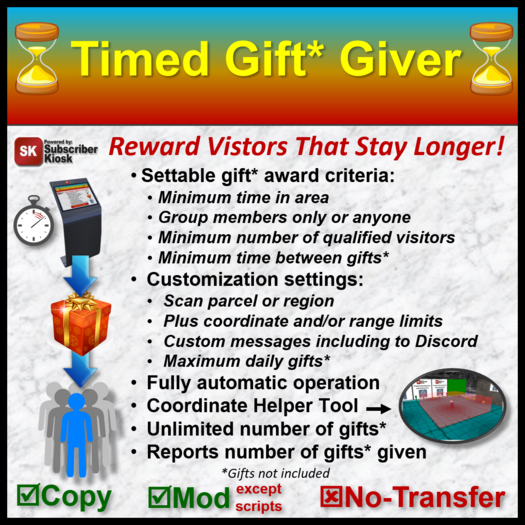
The Timed Gift Giver enables store or venue owners to automatically give gifts to visitors.
Visitors must meet the following criteria to qualify for a gift:
1. Must be present continuously within the monitored area for the specified amount of time.
2. Must be wearing the group tag only if option is enabled by the owner.
3. There must be an owner specified minimum number of visitors. Can be as few as 1.
4. Visitor has not received a gift for at least the minimum number of hours specified.
5. The number of gifts given out has not exceeded the specified daily limit.
6. The visitor is not on the Gift Giver's Ignore Avatar list.
Setup
====
1. Rez the Timed Gift Giver, delete the "Test Gift" object, and load any number of your gift objects.
2. Edit the "!Gift Giver Config" notecard with your preferences:
- MonitoredLand: THIS PARCEL, OWNED PARCELS, or REGION
- Coordinate Limits within MonitoredLand (Xmin, Xmax, Ymin, Ymax, Zmin, Zmax). See Monitored Area Coordinates Helper.
- Scan Range; Spherical radius limit around Gift Giver.
- ScanRate: Interval (seconds) between scanning for visitors. 30 seconds recommended.
- QualifyTime: Time (minutes) visitor must have been present continuously in the monitored area to qualify for gift.
- NoGiftTime: Time (hours) visitors won't get another gift after receiving one.
- MinVisitorsPresent: Minimum number of qualified visitors that must be present. Can be as few as 1.
- MaxDailyGifts: Maximum number of gifts per day that the Gift Giver can give out.
- GroupOnly: YES/NO visitor must be wearing group tag to qualify.
- IgnoreAvatar: List of avatars that are not eligible to win (e.g., staff members, entertainers, unwanted vistors, etc).
- FloatingText: YES/NO show floating text. Can also be changed from owner's menu.
- PublicMsgRange: 0=disabled, 1=10 meters (whisper), 2=20 meters (say), 3=100 meters (shout)
- PublicGiftMsg: Public message announcing gift recipient.
- PrivateGiftMsg: Private message to gift recipient.
- PrivateGreetingMsg: Private message to new visitors when they arrive.
- PrivateRulesMsg: Private message sent to anyone that clicks the Gift Giver with the criteria for getting a gift.
- OwnerMsg: Instant Message sent to owner whenever a gift is given.
- DiscordMsg: Message send to the specified Discord webhook.
- DiscordWebHook: URL used to send DiscordMsg. See https://support.discord.com/hc/en-us/articles/228383668-Intro-to-Webhooks
To disable a message or coordinate/range limit, leave it blank on the Config notecard.
NOTE: All objects in the Gift Giver are considered gifts. All gifts must be objects. There is no practical limit to the number of gifts.
You (the Gift Giver owner) must have at least transfer permission on gift objects. Gift objects for which you do not also have copy permission will be deleted from the Gift Giver after sending. Gift objects can have any next owner permissions.
To start scanning and logging visitors, select START from the menu. Once started, the Timed Gift Giver operates automatically. When a new visitor arrives in the monitored area, they are sent the message specified in PrivateGreetingMsg on the Config notecard. If a visitor remains in the monitored area for at least the time specified for QualifyTime, and meets all of the qualification criteria, they will be sent a gift selected at random from the objects in the Gift Giver. At the same time, the following messages will be sent:
- PublicGiftMsg: Public chat message announcing gift recipient. Range as specified in PublicMsgRange.
- PrivateGiftMsg: Private chat message to gift recipient.
- OwnerMsg: Instant Message sent to owner whenever a gift is given.
- DiscordMsg: Message send to the specified Discord webhook.
If a visitor leaves the monitored area before meeting the QualifyTime criteria, then returns, their qualification time starts over just as if they had never been there before.
Once a visitor is given a gift, they will not be eligible to receive another gift for the time specified in NoGiftTime, regardless of how long they spend in the monitored area. If they are in the monitored are when their NoGiftTime expires, their qualification time starts over just as if they had never been there before.
Most messages can contain "tokens" (starting and ending with %) which are placeholders for the associated actual value at the time the message is sent.
For example, the following message will replace the tokens with the corresponding actual recipient and gift names.
PublicGiftMsg=%DISPLAY_NAME% (%USER_NAME%) has been given the following gift: %GIFT_NAME%
The actual message seen in public chat will be: Fred (Fred Allandale) has been given the following gift: Sample gift
- Gives gifts to visitors who are present for the specified minimum time.
- Can specify minimum time before visitor can get another gift.
- Customizable pubic and private messages, including Discord
- Owner specified monitored area, up to entire region
- Tracks number of gifts given today and since last reset.


![The Creative Publisher Kit [DL]](https://slm-assets.secondlife.com/assets/14099122/view_small/The_Creaative_Publisher_Kit_Box_Art.jpg?1463080980)

![Gift Giver Calendar [M/C/NT]](https://slm-assets.secondlife.com/assets/30719764/view_small/GGC%20Box%20Art%20v1.1%20C-M-NT.jpg?1639106624)