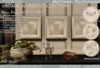
From the: VINTAGE WHIMSY COLLECTION
------------------
INCLUDED:
------------------
Mesh Wall Frame - Single
Mesh Wall Frame - Trio Horizontal
Mesh Wall Frame - Trio Vertical
Instruction Notecard
Group Joiner
Please try the demo if you are unsure of what you are getting!
-----------------------
DESCRIPTION:
-----------------------
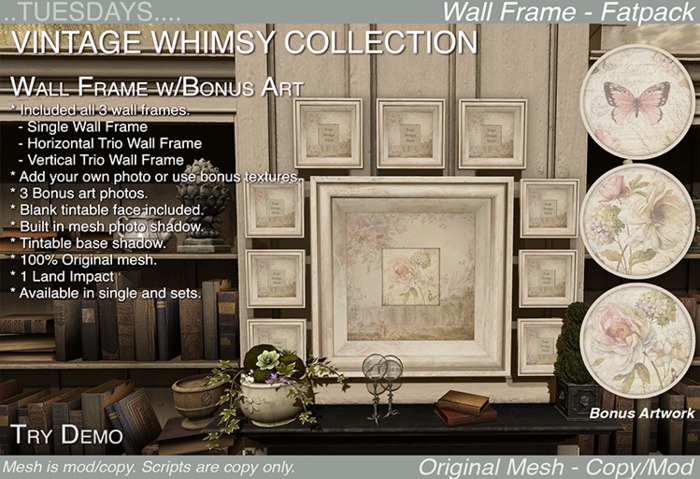
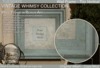
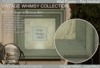
The Vintage Whimsy Wall Frame Set includes all 3 wall frames: the single, the horizontal trio and the vertical trio. Each is a 1 prim, mesh picture frame with a texture change menu for the frame and matte, plus bonus textures and features.
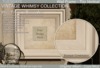
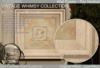
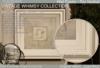
This set of frames is only 1 prim each and customizable via a touch menu. There are 9 wood frame textures and 9 matte textures to mix and match. In addition, bonus art has been included to use instead of your own photos. A blank shadowed texture has also been included. Mix and match, make a grouping of these frames, change the sizes of a few. Use the included art on some of the photo faces and your own pictures on others, then add a few other frames in varying sizes using the blank photo texture. Tint the blank photo texture to add a splash of color in your grouping.
The frames all have a built in mesh photo shadow so no matter what picture you put in the frame, it will have a more natural shaded look. The photo shadow can be turned on or off via the menu. The back, wall shadow is tintable. It comes shaded a universal blackish color but can be tinted any color for a natural looking shadow effect. Read more below about the shadows.
The frame are all copy/mod so you can resize them. The script is copy only so they may appear as copy only in your inventory. Once rezzed, however, the mesh is resizable using the edit window.
---------------------------
TEXTURES MENU
---------------------------
1. Touch the frame to get the menu.
2. Select the part of the mesh you want to change.
3. Select one of the options from the sub-menu that appears.
4. If there is a Bonus Menu, those are textures from another collection we've included for you to try or, textures we've designed especially for a special event. Not all products have bonus menus.
5. Use the "Main" button to go back and select another area to change or click the "Close" button to close the menu.
6. You'll notice, on the main menu, a button called "Shadow". This button will give you the option to turn the built in photo shadow on or off. More on the shadows below.
7. If your frame has a "Photo" button, your item has bonus textures included to use instead of your own photos. These photos may be from another collection we included for you to try or, they may have been created for a special event. Not all frames come with bonus photos.
------------------------
THE SHADOWS:
------------------------
For more realism, the wall shadow behind the frame is actually white and tintable. Shadows are not actually black at all, they are a deeper shade of the object they fall upon. If you put your frame on a red wall, the shadow should be a darker shade of red than the wall itself.
The frame shadow comes tinted a neutral blackish color to be universal but you can tint it to reflect whatever surface color you put it against if you want to try for a more realistic shadow effect. Using the edit window and selecting the shadow face only, change the black tint to a deeper, richer shade of the surface behind it.
There is also a built in mesh shadow for the picture face. This shadow can be turned on and off via the menu. If you are adding your own photo that already has shading, the photo shadow might be too much. Turning it off might be the best option. If you took an inworld pic or uploaded a photo without any photo editing, the built in shadow will give it a more realistic look and feel.
If you have any questions or need help, please send me a notecard and I will get back to you as soon as I can.
Thank you and happy SLing
See item in Second Life- Texture Change Frame & Matte
- Built in photo shadow.
- Bonus Artwork Included
- 1 Land Impact
- 3 Different Frames Included

