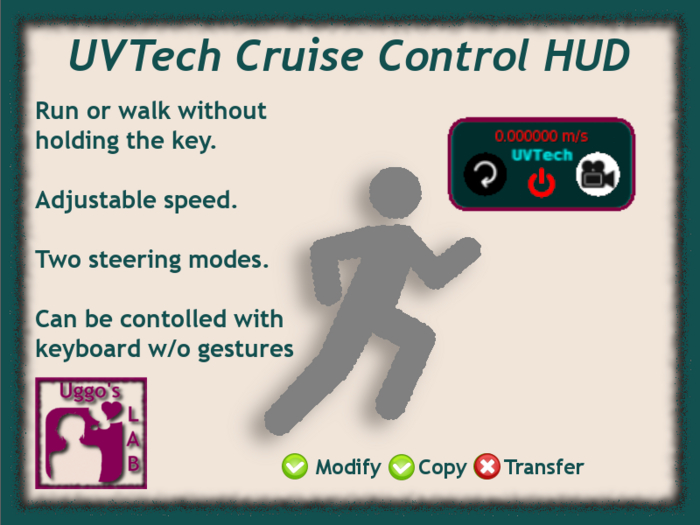
This HUD will let you walk or run without holding the keys, which allows you to look around or answer messages while walking.
Additionally, you can slightly adjust your speed for each mode (walk/run), making it the perfect aid for walking or running with friends by letting you wait or catch up with them without anyone having to stop.
*** Please note that it is NOT a dasher or anything that will make you move at crazy speed *** The default speed for both walk and run mode are as close as I could do to the default run and walk speeds and the HUD allows slight speed adjustments up or down.
It is very easy and intuitive to use.
- Touch the power button or press LEFT (A) and RIGHT (D) keys together to start,
- Press UP (W) or DOWN (S) keys to adjust your speed,
- Press Ctrl+R or use the Walk or Run buttons in the viewer "Move controls" floater to toggle between walking and running,
- Touch the circling arrow to reset to default power (speed),
- Press PAGE DOWN (C) key or touch power button to stop.
Additionally, it has two modes for steering :
- Avatar mode : Avatar direction will be used for steering,
- Camera mode : Camera direction will be used for steering.
Avatar mode will work in any situation, either in third person view or first person view (mouselook) but is less precise since avatar rotation goes by steps.
Camera mode will work only in third person view and gives a more precise steering but you won't be able to move your camera around while moving, since it would change the direction you are walking to. This mode will also be affected by camera lag which will add a short delay in the steering. It is not recommended to use this mode in addition with a camera HUD.
*** Includes a bonus Running footsteps sound attachement ***
See item in Second Life