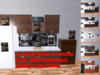
![[W]Cheerful Kitchen (PG) PBR](https://slm-assets.secondlife.com/assets/36618608/lightbox/Dolly%20Outfit_145.jpg?1741830192)
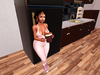
*Please Be Aware That This Item Requires a PBR enabled Viewer to see Textures on the kitchen Pieces and the HUD*
visit https://marketplace.secondlife.com/en-US/stores/98342 for more interactive food stuffs
Thanks so much for your interest in the Wright Mart Cheerful Kitchen
Everything you need in a RP kitchen in one place!
(Strap in because This thing is packed with features, so make sure you read this a few times till you have it down.)
Fridge: Fairly simple functions open/close
sit for a small animation menu. touch the side for texture menu or use the designated HUD
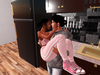
Sink: Sit for your typical kitchen animations, cuddles and silly dances
Backsplash: The electric outlet is a rezzer with a Blender, Mixer, Toaster, and two Slow Cookers.
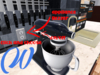
Blender: Clicking the Blender brings up a menu for smoothies, once chosen the smoothie you chose will Auto Attach to your avatar. choosing clear will detach.
Mixer: Click the toggle switch located on the side of the Mixer for a remote menu to start and stop the beater turning
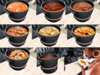
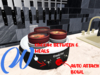
Slow Cooker: Touching the lid will remove it, touching the body will give a menu where you can choose from 8 meals to cook in your cooker. touch the red button to auto attach a bowl and spoon. clear to detach or derez all items
Mini Slowcooker: same instructions as the large version
Toaster: touch to select a piece of toast that will auto attach to your hand. click clear to detach
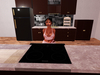
Island:Sit for your typical cooking animations, cuddles and silly dances
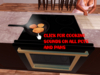
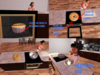
Stove Top: touch the center of the stove top for a Pots/Pans and food cooking menu. each rezzed item once clicked also has a cooking sound click on and off.
Burners: each burner turns on and glows red when touched, touch again to turn off.
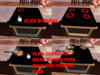
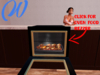
Oven: Touching the outer rim of the oven will bring up a blue menu for cooking and baking inside the oven. choose from several food props for your rp. Click clear to Derez. (further instructions for cake and cupcakes)
Cake:
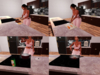
1.Clicking the baking cake brings up a menu to select cooling the cake.
2.This will Rez the Cake on the Stove Top.
3.Clicking the cake itself makes the cake vanish.
4.Clicking the pan it is in brings up a menu to Ice the cake and rezzes out a cake on a plate.
5.Touching the top of the cake that is on the plate reveals icing.
Cupcakes:
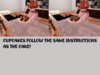
1.Clicking the baking cupcakes brings up a blue menu, choose the option for cooling
2.Cooling cupcakes are rezzed on the stove top.
3.Clicking the Cooling cupcakes brings up a menu for icing cupcakes.
4.The cupcakes on a plate when the tops are touched will reveal icing 5.Touch the plate the cupcakes are on for the auto attach menu to get a cupcake with a smooth eating animation
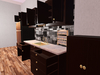
Broom Closet: simple click the doors to open and close
Cleaning Supplies:Touch the cleaning supplies to bring up a blue auto attach menu for different cleaning supplies. Each choice will auto attach with its own animation and sound. you may roam freely around your kitchen or home doing these chores. Click Clear to Detach.
HUDs:Each piece (besides the backsplash HUD only and Stool Touch only) of the kitchen can be texture changed either VIA touch menu or HUD each are included in a box inside your folder.
Extras:Cleaning Supplies a set of Blinds with open/close script, ceiling light, utensils and small decor pieces are included in the utensils and extras box in your folder.
Available in naughty and Nice versions PG and Adult with P+V and VAW compatibility
From our RP town to yours, Enjoy!
Please contact Ally Ravenheart or ShawnaJacks0n with any questions, we'll be happy to help.
**IN WORLD STORE PURCHASES WILL RECEIVE A 10% GROUP ONLY DISCOUNT**
- Backsplash with rezzer
- Sink
- island
- Fridge
- Broom Closet

![[W] ThanksGiving Magic Table Cloth](https://slm-assets.secondlife.com/assets/36066517/view_small/%5BW%5DHoliday%20Magic%20Tablecloth.jpg?1732102666)
![[W] WrightMart Dining Table](https://slm-assets.secondlife.com/assets/36075118/view_small/%5BW%5DDinning%20Table%20Set8.jpg?1732260919)
![[W] Traditional Dining Table &Chairs](https://slm-assets.secondlife.com/assets/36079878/view_small/%5BW%5DTraditional%20Dining%20Table8.jpg?1732353207)