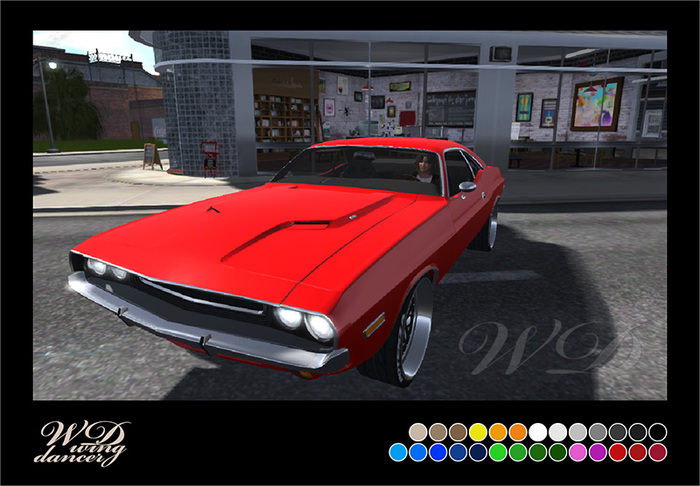
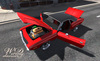
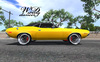
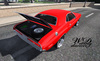
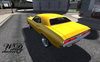
Meet Charlotte, made of steel and muscle. She comes equipped with a powerful Haym V8 and sure sounds like it. This car will take you back to the times of chrome when every horsepower was heard through the tail pipes.
Some parts of this vehicle are Materials enabled: Advanced Lighting Model is recommended to see the full details of the car as intended. You can however through the menu customize the car in ways that ALM is not required.
- - - - -
COLORS, SHINE and TEXTURES
You can change colors on the body, the rims, the engine as well as part of the interior (the exteriors can also have their shine adjusted):
Touch the car to get the menu, then choose Options - Graphics - Color or Shine, which set and your preferred color or shine level.
You can instead choose PaintSys - Category, to rotate fabrics for the interior in sections and tint the windows.
- - - - -
FEATURES and OPTIONS
The Charlotte has 2 optional hoods: The regular solid one that can be color changed and a custom see thru hood. Swap between them from the touch menu: Options - Fixtures.
You can through the same menu section also opt for windows up or down, brake calipers mounted or not, as well as remove the fire extinguisher, spare tire, secondary battery and the NOS bottle.
Your own License plate: Touch the Wing Dancer license plate and follow the instructions from the menu that appears. You can drop your own (full perm) textures into the plate to store them and rotate between them.
Hood, trunk and doors open. Wipers activate on touch.
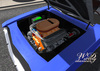
Detailed engine with moving parts. Burnout and exhaust smoke.
Lights with brakes, reverse, dash, turning signals. The headlights project light, requiring Advanced Lighting Model.
Custom sounds: Charlotte has 2 driving sound Sets, selectable from Options - Advanced - Sounds.
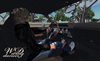
Driver + 1 Passenger, poses adjustable. Mouselook for driver and passenger.
Extra parking poses for the driver: Alternate with left and right arrow when in Park mode.
- - - - -
TECHNICAL
The car can be tuned through the touch menu, Options - Controls or Camera:
Steering, Gears, Skid, Camber, Drift, Gravity, Camera and more.
The menu can also give you the Driver's HUD by choosing Options - Advanced - Get HUD.
Wear it for more direct control of your vehicle.
Accelerate and brake; Up and Down arrow keys.
Shift gears; Page Up or E, and Page Down or C.
Steer; Left and Right arrow keys.
Drift slide; Shift key.
NOS boost; Up + Down arrow keys at the same time.
You can change this to Hover/Recover for obstacles or when stuck.
Powered by KCP ACS version 7 Drift.
Land Impact: 53
Resize in menu: Options - Advanced - Resize (this can cause Land Impact to increase or decrease).
* This vehicle is Materials enabled with Advanced Lighting Model being recommended but not required *
Please read the Wing Dancer store policies. Free lifetime updates.
Ver el artículo en Second Life


![[Wing Dancer] Cauldurion Loredo Roze [Classic]](https://slm-assets.secondlife.com/assets/18781643/view_small/Loredo_Roze_Title_X.jpg?1509113154)