![[ G.W.S. ] Wood: Japanese Elm](https://slm-assets.secondlife.com/assets/23607191/lightbox/wood_elm_japaneseAD.jpg?1557933991)
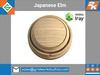
[ NVIDIA Iray Rendered ]
Material Includes:
Diffuse Layer Map
Normal Space Map
Specular Environment Map
Texture maps rendered under NVIDIA's Iray raytracing light engine insuring optical brilliance. 3d scanned surfaces generated to give you material real World depth.
- NVIDIA Iray Rendered
- Diffuse Map
- Normal Map
- Specular Map
- Seamless Tiling


Worth it!
As for the other review that talks about how you can see through all of the textures when using specular, there's a setting called Alpha-Blending. Set that to None. That will resolve that issue. I don't ever seem to be able to respond to marketplace comments but that's the solution. ~ As for the texture itself there's nothing wrong with it, and many textures in Second Life have this behavior.
I bought many different woods
I don't know why or what it is......though these are some of the best looking wood/s I've seen....As soon as you add the spec texture for the vanish or shine...........the object becomes see through and I can see every other object behind it....across the room from it....After I took the Spec off..the object acts normal again. I bought these to react to light.........now I can't.
![[ G.W.S. ] Black Marble](https://slm-assets.secondlife.com/assets/24008668/view_small/marble_clean_black-AD.jpg?1562685737)
![[ G.W.S. ] Emperador Dark Marble](https://slm-assets.secondlife.com/assets/24008641/view_small/marble_new_emperador_dark-AD.jpg?1562685585)
![[ G.W.S. ] Light Green Marble](https://slm-assets.secondlife.com/assets/24008627/view_small/marble_light_green-AD.jpg?1562685521)
![[ G.W.S. ] White Marble](https://slm-assets.secondlife.com/assets/23933786/view_small/white-marbleAD.jpg?1561786891)


![[ G.W.S. ] Tile: Ivory](https://slm-assets.secondlife.com/assets/23486766/view_small/ceramic-tiles-ivoryAD.jpg?1556501077)
![[ G.W.S. ] Tile: Seashell](https://slm-assets.secondlife.com/assets/23486728/view_small/ceramic-tiles-seashell.jpg?1556500755)