
-=Proudly brought to you by TM Designs=-
------- ©2012 Tanelorn Manor Designs -------
======
Features:
======
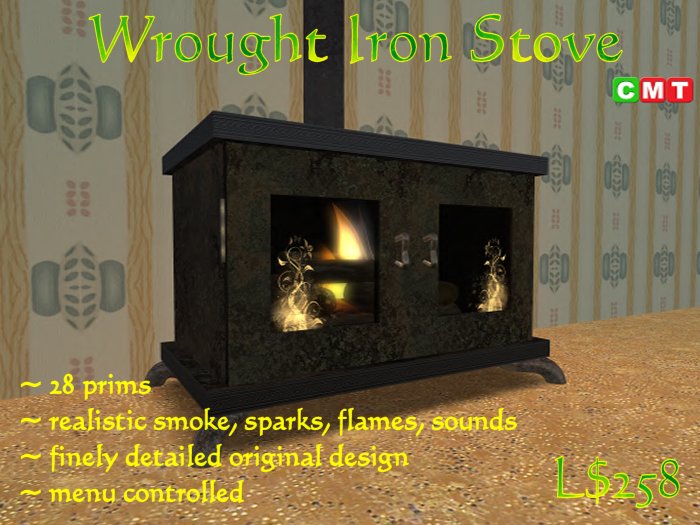
* Quality build;
* Finely detailed wrought iron and glass finish;
* Opening and closing doors;
* 28 prims - flue sections 1 prim each;
* Realistic working fire with smoke, sparks, flame, light and sounds - fully customisable via menu;
* On/Off smoking chimney pipe and flue cap;
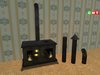
* Bonus flue kit so you can customise your stove to fit your home exactly;
Much time and effort have been spent in bringing you this quality build and we hope you get many, many hours of pleasure from it.
--------------------------
Rezzing Your Stove:
--------------------------
Rezzing your new Wrought Iron Stove is a simple process but please follow these instructions to avoid problems:
1/ Drop the rez box on the ground (must be on a parcel that allows you to rez objects - obviously);
2/ Left Click the rez box and select "Build" from the menu;
3/ After a few seconds the stove will rez, you can then move the rez box to 'drag' the build to the position you want (or rotate, raise or lower it etc.);
4/ When happy with the position select "Done" from the menu and then "OK". This will lock the build in place;
5/ Your rez box will delete itself but don't worry, you will have a copy in your inventory you can use if you wish to rez additional stoves.
6/ Congratulations you are done ! (told you it was simple). Enjoy your new build;
________________________________________________________________________________
======
Flue Kit:
======
Three extra (copiable) sections of flue have been included for you to 'fine-tune' the Wrought Iron Stove to fit your particular home. Just drag any of the extra flue pipes to fit. The flue cap is useful if you want your Stove to be free standing.
Both the "Flue - Cap" and "Flue - Wall Duct" have realist smoke effects. These are turned on and off by simply touching anywhere on those flue sections.
________________________________________________________________________________
===============
Controlling Your Fire:
===============
The fire and fire effects are menu controlled. To activate the fire menu open one, or both, stove doors and left click one of the logs.
It will initially default to "burn", "All" access (public) and all effects (smoke, sparks and sound).
--------Burn control--------
"extinguish"
- puts the fire out !
"burn"
- lights the fire;
"smoulder"
- sets the fire to burn less fiercely;
"glow"
- sets the fire to just glowing embers;
--------Effects control--------
"quiet"
- turns off all sounds (change to burn, smoulder or glow to reactivate);
"smokeless"
- turns off smoke effect (change to burn, smoulder or glow to reactivate);
"sparkless"
- turns off spark effect (change to burn, smoulder or glow to reactivate);
--------Access control--------
"access"
- this takes you to a sub-menu where you can change who has access to your fire:
"All" - everyone;
"Group" - group members and owner only;
"Owner" - just you !
Come and see this item in world at our Main Store rez area.
- Quality build;
- Finely detailed wrought iron and glass finish;
- Opening and closing doors;
- 28 prims - flue sections 1 prim each;
- Realistic working fire with smoke, sparks, flame, light and sounds - fully custo


