![[bOoP] EarTags : FishyTag for Alien Cat Ears](https://slm-assets.secondlife.com/assets/38038766/lightbox/EarTags---Fishy.jpg?1768490162)
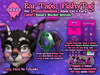
█▓▒░ bOoP Presents - Ear Tags : FishyTag ░▒▓█
Hai Frens! Thanks for checking out the FishyTag Ear Tags!! :)
Please note: This comes with sets of Ear Tags which have been meshed and rigged
specifically for the ears that come with the [FrettchenHaus] Alien Cat’s Head.
It will not attach correctly with other ears, because of the rigging.
The Ear Tags lets you pin either to your left or right ear or even both ears and
it has a front facing sticker pad and a back facing sticker pad as well
(the back is mostly blocked by your ears lol)
❉-----------------------------------------------------------------------------------------------------------------❉
How to customize your own stickers / custom texture
You can rez the Ear Tags on the ground and drop your own texture onto it,
OR you can use the Handy Dandy Sticker HUD which is included with this package
The sticker HUD comes with some pre-made stickers, BUT you can drop in your
own textures into the HUD TOO!
❉-----------------------------------------------------------------------------------------------------------------❉
How to Use the Sticker HUD
In this package you will see a Boop Sticker HUD included!
Attach the HUD while wearing the Ear Tags and you will see there are LEFT and RIGHT
tabs on the HUD. this controls which Ear Tag gets the sticker! Touch the sticker
and BOOM! your Ear Tag has the design.
To use your own textures, Drop your texture into the HUD, it will load up the images
and simply touch it to send it to the Ear Tag!
There will be a Dev Kit coming out very soon after this product launch, for you
to make and sell your own sticker packs! So Stay Tuned!
❉-----------------------------------------------------------------------------------------------------------------❉
How to Customize the Material and Colors
✿ Add the MAIN HUD to begin
✿ Select which Part to adjust. You can click on Body Shell, Front Face, Tag Pin, etc
✿ Select the Tab to adjust the type "Material" or "Color"
✿ Choose a Material or Color and the part you selected will change!
❉-----------------------------------------------------------------------------------------------------------------❉
How to use Styles
✿ The Styles Tab where you will see 39 Styles
✿ Select a Color Swatch Style by just clicking the circles
✿ This will change the color set, changing the color combinations on the tag
❉-----------------------------------------------------------------------------------------------------------------❉
Thanks for your support!
I hope you enjoy using the Ear Tags and also the Sticker HUD System!
Feel free to IM me or drop a notecard if you get stuck or have any cool ideas to share!

![[bOoP] EarTags : Heart Shape (Alien Cat, Sonder Pup and Caow Head)](https://slm-assets.secondlife.com/assets/38038589/view_small/EarTags---HeartShape-002.jpg?1768484814)
![[bOoP] Sticker HUD System DevKIT](https://slm-assets.secondlife.com/assets/38038809/view_small/Sticker-DEVKit-002.jpg?1768491087)