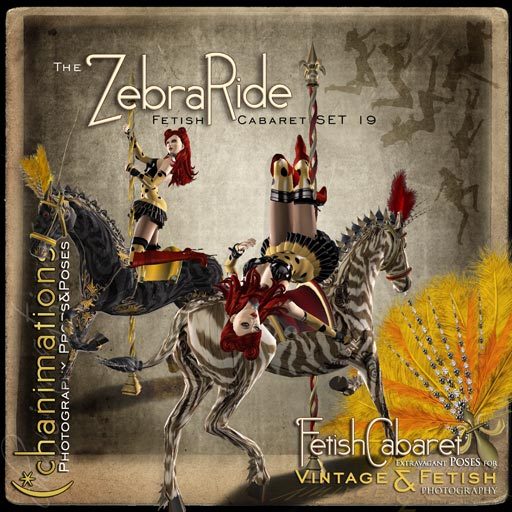


"Ladies and Gentlemen - The Show beginns..... "
•
======
-ZebraRide v1.0-
Fetish Cabaret SET 19
======
•
-ZebraRide- can be seen as 'part 2 of the carousel saga' *chuckles* - it was designed to work perfectly with the poses you might have already from (*chanimations' -CarouselHorse- set, simply use the multiposeball now with this new set or move the 'old' saddle on the 'new' zebra. The set contains photography props and poses with the following properties:
6 POSES (no mod/no transfer):
--------------------------------
• (*zebra_kneel (high)
• (*zebra_kneel (low)
• (*zebra seduction
• (*zebra lay
• (*zebraBack sit
• (*zebra_hang
All POSES are static and come with 'copy' rights so you can put them into your posestands or make own poseball arrangements.
PROPS (detailed info to each after listing):
----------------------------------------------
Rezz:
• (*chanimations ZebraRide (no mod/no transfer) - high-prim version with a total of 96,
(86 for the horse, 10 for the saddle)
• (*chanimations ZebraRide (no mod/no transfer) - low-prim version with a total of 62,
(55 for the horse, 7 for the saddle)
Attachments:
• (*chanimations diamondFan **RED,YELLOW,BLUE** (left hand) (no copy, no modify)
=======DETAILED INFORMATION (please read!)=======
ADJUSTMENT OF POSES:
-------------------------
The saddle is your poseball. On first sit please note the chatmessage the saddle is giving you - as well, a menu pops up allowing you to pick which pose you'd like. After that, you only click the saddle again, and you'll receive the menu to change between the poses.
To meet all different avartar sizes, an easy and intuitively to use adjustment-menu allows you to move the positioning of your avartar - height, rotation, everything! When you sit, speak /1a in open channel for the adjustment menu (it will only work for the avatar sitting on it). 'Postion' will allow you to move your avartar more forward, backwards, left or right (X and Y axis) and of course up and down (Z axis), if needed 'Rotation' menu gives you more options.
The script remembers the avartar custom settings of up to 100 most frequent users who adjusted their positions as long as the horse stays rezzed and the scripts are not reset. Unfortunately it cannot keep the positions when picked up back to inventory and will rez back on default settings - but since the adjustment is easy and quick, this shouldn't be a problem.
PHOTOGRAPHER?
------------------
To make it easier on photographers who work with models, a multiPoseball is included. This way you can freely move your model yourself instead of 'instructing them' where to place their avartar.
The multiPoseball responds to /1 show and /1 hide and allows to toggle the poses by using the pageUp/pageDown keys.
ZEBRA:
--------
The ZebraRide comes in an unlinked group of zebra and saddle - so it shows as one combined object in your inventory. This is to allow you more flexibility for pictures without a saddle, combination of the low-prim saddle with the high-prim zebra, use of the CarouselHorse saddle if you have it and so on... Just make sure you have both components selected in edit mode when you intent to move it together in a group! You do this by keeping key pressed, then right-click choose 'edit' on the saddle, and (with still pressed shift key) right-click choose 'edit' on the zebra. When both are highlighted with the blue/yellow lines, you can let go of and everything moves as a group now. - in worst case, re-rezz from inventory to go back to the original alignment.
By clicking the ZebraRide, you receive a menu allowing you to chose between a 'real zebra' in black/white, black zebra or a blue zebra all in the sense of a 'truely carousel kitsch version'. *winks*
As well depending on your personal taste or what type of picture you'd like to take, you can hide the feathers of the zebra and choose between *red*, *yellow* or *blue* colorparts/feathers/saddle.
'Options' menu allows you to set permissions who may control the color menu of the horse, it allows for owner only, group, or public use. Default on rezzing is set to OWNER. The use of the pose-engine is not effected by this selection.
(due to space, find full description on our blog)
Artikel in Second Life anzeigen


