![hellhund Collar Mesh OpenLeash [M.O.R]](https://slm-assets.secondlife.com/assets/23315987/lightbox/collar_hellhund_%281%29.jpg?1554746949)
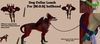
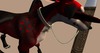
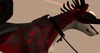
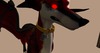
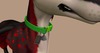
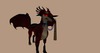
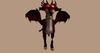
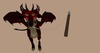
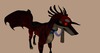
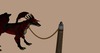
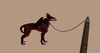
(TC)[M.O.R] hellhund Collar Mesh
dog collar for hellhund Other shapes
ore avatars need edit work
Packets contains collars
with different Rope colors and chains
Mesh Click parts Of the color to
recolor all the colors of the rainbow u can choice
so u can mix endless
Click the front on the collar ore the sides
To get the owner leash menu options
Leash options to owners,post,buildings,give hand holder to owner to leash yourself to her
1.) GRAB When someone wants to lead you around they will click this button and a rope lead will pass between your halter and the person who grabbed the collar
2.) LENGTH To set the length of the lead whether you are leashed to a post or a person click this button.
3.) TIE TO Will leash you to a person near you of your choice by clicking on their name. Note you must fairly be close to the person.
4.) UNLEASH Releases you from whatever or whoever you are leashed to.
5.) GIVE HOLDER Gives anyone who clicks on this button a holder so that when they Grab your halter the leash will link to their hand instead of dissapear inside their body.
6.) POST Brings up a number of nearby optional leashing objects that you can attach yourself to.
7.) REZ POST Rezzes a post to which you can attach yourself to.
8.) GIVE POST Gives the person who clicked the button a copy of the rezable post.
OWNERS
1.) ADD OWNER If you wish to add an owner to your halter click on this button and then select the name of the person you wish to be owner. Note that you must be near by the person in order for the name to show up.
2.) ADD SECOW (SECOW = second co-owner) To add another owner in as well use this option.
3.) ADD BLACKLIS (BLACKLIS = ban list) If you have someone you do not want clicking your halter this is the button to use. Be sure they are close by and select this button, then their name.
4.) REM OWNER (REM = remove) This removes a current owner of your choice.
5.) REM SECOW (REM SECOW = remove second co-owner) Removes the co-owner.
6.) REM BLACKLIS (REM BLACKLIS = remove ban list) This option will take the person off the ban list so they will be able to click your halter again.
7.) SET GROUP Allows anyone within a group who is currently wearing the specified group tag, to use your halter.
8.) SET OPEN ACCESS Sets the halter so that anyone can click on it.
9.) LIMIT RANGE Sets the range someone must be in to click your halter.
10.) RESET ALL Resets the scripts within the Owners tab.
11.) LIST OWNER Lists the owner and some other useful information on your screen only.
RESET SCRIPTS ~ Resets the scripts in the halter.
^ = back to the previous page.
Extra Scripts
Things to use
Owners can lock the appearance of the collar, so it cannot be changed at all.
addons
bad words
'List Words' show you all badwords.
'Clear ALL' will delete all set badwords.
'Say Penance' will tell you the current penance phrase.
'Quick Help' will give you a brief help how to add or remove badwords
Bell
Bell is NOT ringing.
The volume of the bell is now: 5/10.
The bell rings every 1.0 seconds when moving.
Currently used sound: 1/8
keyholder
This module is turned off. An Owner can turn it on from the Configure menu.
Lockout - Lock wearer out IMMEDIATLY. Unset on key retur
Good for RP! COming soon for TWI,
