![[satus Inc] Corner Picture Frame Set](https://slm-assets.secondlife.com/assets/26388928/lightbox/%5Bsatus%20Inc%5D%20Corner%20Picture%20Frame%20Set%20Pic.jpg?1589514002)
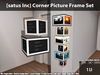

[satus Inc] Corner Picture Frame Set - 100% Original Mesh - Material Enabled - 1 LI - Texture Changer: 6 frame textures (gold, silver, copper, black, blue, & red) - Menu Security - Square & Rectangle sizes included
** This picture fame set only support concave corners. For convex corners, please use your single frames and connect them together
To purchase, please check our store inworld or marketplace:
Click here: http://www.teleporthub.com/merchants/satus-inc/
[▪ ▫ OBJECT MATERIAL SETTINGS ▫ ▪]
To see the material settings, shininess, and reflection, you will need to have Advanced Lightning Model & Shadows Settings enabled in your viewer. It can be done in Preferences -> Graphics. Check in the box [x] Advanced Lightning Model and Select Shadows Options as Sun/Moon + Projectors. Then Apply settings.
[▪ ▫ FEATURES ▫ ▪]
1. [satus Inc] Corner Picture Frame (Square) ~ 1 LI
2. [satus Inc] Corner Picture Frame (Rectangle) ~ 1 LI
3. 6 Frame Textures Included: Gold, Silver, Copper, Black, Blue, Red
4. 100% Original Mesh - Material Enabled
[▪ ▫ WHAT INSIDE THE PACKAGE? ▫ ▪]
1. [satus Inc] Corner Picture Frame (Square) ~ 1 LI (modifiable except scripts)
2. [satus Inc] Corner Picture Frame (Rectangle) ~ 1 LI (modifiable except scripts)
3. Full perm sample photo texture.
4. instruction notecard
5. landmarks
[▪ ▫ PERMISSIONS ▫ ▪]
Modify - Copy - No Transfer (scripts are no mod)
**Note: The scripts inside the item are non-modifiable. Therefore, the item may appear to be non-modifiable in your inventory. This is because the scripts are no mod. However, you can still resize or modify the item after you have rezzed it on the floor.
[▪ ▫ HOW TO USE? ▫ ▪]
*How to use?
Rez the picture farme (square or rectangle size) at a corner of your place. Click on the frame to choose the texture your like. Finally, drop your photo on picture area. This fame set only support concave corners. For convex corners, please use your single frames and connect them together
*How to change textures?
Click on the picture frame and choose your favorite frame texture
*How to set menu Security?
Click on the mini bar for menu. Then, click Security. It will change the security to Owner Only or Anyone Mode. You can check the confirmation message in the nearby chat to be sure.
[▪ ▫ MARKETPLACE ▫ ▪]
https://marketplace.secondlife.com/stores/109922/
[▪ ▫ TELEPORT ▫ ▪]
Check Satus Voxel 's picks for latest and updated landmarks of Main Store and Branch Stores
**[satus Inc] Main Store**
https://www.teleporthub.com/merchants/satus-inc/
**TeleportHub.com**
https://www.teleporthub.com/information/
Teleport Hub - One Stop for All Second Life(R) Freebies, Group Gifts, Promotion, and Hunts
**Useful Links**
*Freebies: https://www.teleporthub.com
*Hunts: https://www.teleporthub.com/hunts/
*Hunt Calendar: https://www.teleporthub.com/hunt-calendar/
*Events: https://www.teleporthub.com/events/
Thank You!
[satus Inc]
** Want to see the item inworld? Please access our web site for the up-to-date inworld mainstore's location: http://www.teleporthub.com/merchants/satus-inc/ **
ビデオを表示 »- [satus Inc] Corner Picture Frame (Square) ~ 1 LI
- [satus Inc] Corner Picture Frame (Rectangle) ~ 1 LI
- 6 Frame Textures Included: Gold, Silver, Copper, Black, Blue, Red
- 100% Original Mesh - Material Enabled

![[satus Inc] Backyard Swimming Pool](https://slm-assets.secondlife.com/assets/20472720/view_small/_satus_Inc__Backyard_Swimming_Pool_Pic.jpg?1525237879)