Lucky Panel is Concentration game.
Lucky Panel is item giver.
2 type set.
*Lacky panel 6p type (6prim)
*Lacky panel 18p type(18prim,with movement to turn up cards)
Lucky panel instruction manual
You can give some items to anyone who have completed the card game "concentration".
Outline of function
* You can set time limit or no limit
* You can choose between limiting to the member of group and open to everyone.
* You can get a information about who got a prize
* It can pick a prize automatically from included prizes at random
and, you can change designs of cards for your own texture
<<< How to use >>>
* How to put objects as prizes in
1 Rez lucky panel on
2 Right click it and click "edit"
3 Drag and drop objects and textures in the content tab
*you have to add "_tex" after object's name as texture's name.
for example
object's name: yourobj1
texture's name: yourobj1_tex
object's name:yourobj2
texture's name:yourobj2_tex
(Set like this,if you feed more than one object.)
4 Close edit window
5 Click ,then it start working
*When it has no objects in,it shows "NOWPRINTING"on it's main screen.
<<< About main menu (left click on it,then dropped down at the upper right) >>>
*When you set it, only you can see the confirmatory message on your chat window.
*You can set it when the system is "off-line"
Menu
|
|- on line-off line switch.
|
|-
|
|-
|
|-
|
|- 0~7
|
|-
| It shows prizes in turns
| It shows prizes at random
| ※When there is only one prize,It repeat
| the same prizes,in both mode.
|
|- yes / no
| limitation of
| continuous playing by same avatar
| *setting "yes",they can not play before
| other avatar has finished next game.
|
|- 10~60 seconds (11 step)
| Idling time to game over with no player's response
|
|- Setting | exclusive use of the group
| ※You need to set about Groups in General
| in the Edit window
| ※It is not Shared with group
| Caution:
| When you set this in shopping mall,
| Only the member of the shopping mall group
| can play the game.
|
|- 7 set design of the front panel
|
|- back pattern 8 design of the back panel
|
|- To set sounds that visitors hear.
| You can choose between Japanese and English.
| (Menu and setting lists that you operate are
| in English)
|
|- To put all settings back to default
|
|- someone win the game,let you know with
| IM in Chat window.
|
|
|- Someone win the game,let you know with E-mail
※To get E-mail,you need to fill in note card with your E-mail
<<< note card >>>
How to fill in your E-mail address
1.Rez the on
2.Right click the , then click Edit
3.Click Contents tab
Double click and open the note named 「setting」
Fill your E-mail address at line 1 in it
4.Save and close the Edit window
5. Click the
Click →→ in the main menu window
* How to change the design of cards for your own texture
The texture named 「usertexture_temp」 is in the folder.
Save it in your PC and rewrite.
1.Double click the 「usertexture」 in the folder.
2.Click , on SL viewer and save it
3.Edit with your own image editing software
1 line is 1 set
From 1 to 7 lines are the design of the face of each 7 pairs.
The last line is the design of the back of all cards.
4.Upload the file into SL.
5.Set the textures uploaded into Contents just like objects as prizes.
Never change the file name from 「usertexture」.
※If they are seen trough,you try to upload them in JPEG files.
※Image editing software is not attached it,you need to get it for yourself.
The texture size is to be 512*512
<<< P.S. >>>
When it has no items in,it shows "NOW PRINTING"
- Item giver
- ice cream
- summer goods
- Penguin
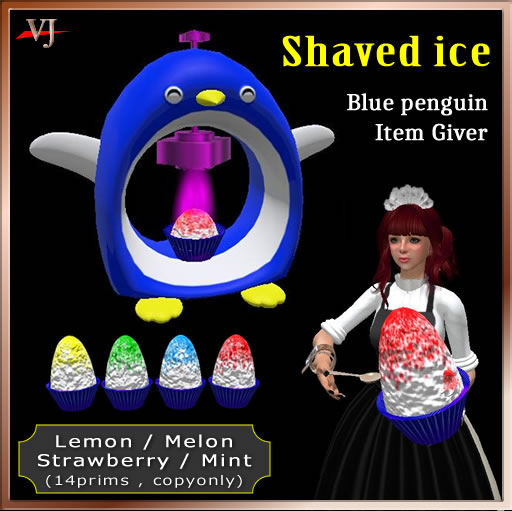
- shaved ice


