
Detalles
Funciones
Contenidos
Reseñas
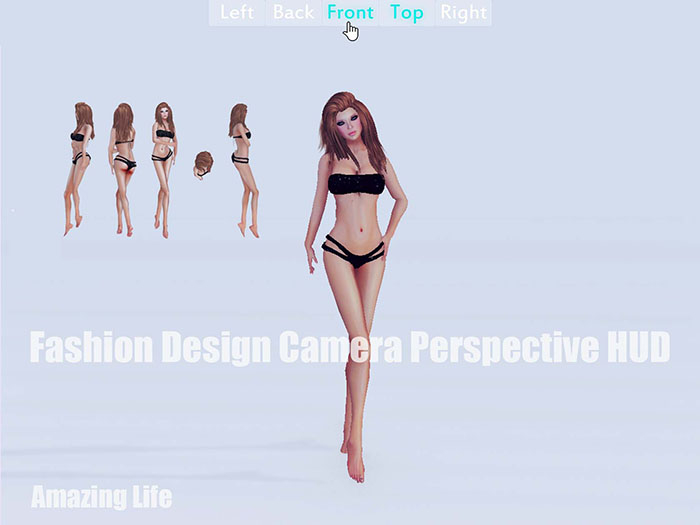
This HUD contains 5 buttons to touch to switch to Left view, Back view, Front view, Top view or Right view for better perspectives on your fashion design.
Add(wear) it, you can see a series of buttons in screen top, touch one to switch camera perspective, touch it again to switch back to previous one.
If it doesn't work, try to press Esc to quite Object View.
- A good assistant for fashion design
- Support top view, front view, back view, left view and right view
- One touch access buttons

![Personal Camera Lounge HUD [camera position switch]](https://slm-assets.secondlife.com/assets/32160192/view_small/Camera%20Perspective%20HUD%20A.jpg?1663835968)
![Front View Button [front view back view swap]](https://slm-assets.secondlife.com/assets/32166254/view_small/Front%20&%20OTS%20Camera%20Perspective%20Swap%20Button%20ad.jpg?1663945189)


![Round Camera Button [AROUND U]](https://slm-assets.secondlife.com/assets/32166257/view_small/Round%20Camera%20Perspective%20Button%20ad.jpg?1663945265)

![Personal Camera Classic [Camera Position Switcher]](https://slm-assets.secondlife.com/assets/32160202/view_small/Camera%20Perspective%20HUD%20B.jpg?1663836067)
![[T] Fashion Design Camera Perspective HUD](https://slm-assets.secondlife.com/assets/32312460/view_small/Fashion%20Design%20Camera%20Perspective%20HUD%20ad.jpg?1666537191)