


API interfaces by Tyche Shepherd & gridsurvey.com are released under a Creative Commons Attribution 2.0 license: creativecommons.org/licenses/by/2.0/uk/
This is a HUD and teleports you, as a owner, in a random region (SIM) with any maturity rating. You can choose the SIM rate among "A" (Adult), "M" (Moderate) and "G" (General) or a combination of them, know the number and names of avatars in the current region, offer an automatic teleport to a single friend by a SL link (SLurl) every time you will change region, set a fixed height of the teleport, open the map and come back quickly to a trusted land of your choice. If the parcel you've teleported to is not script-enabled the main interface will be still grey tones and features icons won't appear until you don't move on a script-enabled parcel. Everytime you teleport a sign warns you that it is always possible to happen on a not script-enabled parcel.
Clicking the main interface within the circle you will be asked for a teleport permission only the first time. The following ones are the other features that can be activated clicking the icons at the four corners of the HUD.
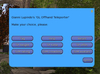
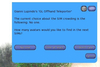
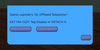
Lower left corner (menu icon) - A dialog box with several options appears. The "SIM rate" button allows you to choose the rate of the region: this means that choosing "AMG" (default) you will be teleported to any SIM rated either as Adult or Moderate or General; choosing "MG" you could be teleported to a Moderate or General land; choosing "G" allows you to be teleported to SIMs only rated like "General" and so on with the other combinations. Except "AMG" all the choices require more time for the search of a random region because it's needed to check SIMs not wanted: so you could see links of regions that have been discarded during the scan. The "Avatars" button allows you to know the number (except you) and names (with profile Slurls) of avatars in the current region. The "TP offer" button sends the url of the region with its coordinates (Slurl) on the local chat of a single friend of yours so that this one is able to follow you in every region where you will be teleported. You can add only one friend at a time getting to it as close as possible within a radius of 20 m. It's always possible to restart to wander alone in any moment. The "TP height" button sets the height of the teleport (default is 0) until the maximum of 4096 m. You need to keep in mind that this height is always ignored when a landing point is already set by the parcel's owner or when the ground or floor is higher. The "Help" button gives you a notecard with these instructions. The "Reset" button allow you to reset the main script in case of issues; a local chat shortcut is /-4321 Reset.
Upper left corner (map icon) - A map of the current region is opened.
Upper right corner (mark icon) - For using this feature you need earlier to drag a trusted landmark from your inventory and drop it onto the HUD pressing in the same time your CTRL key; so you will be able to come back quickly to a safe place of your choice in any moment. It's strongly recommended to drag and drop one at a time to avoid confusion; in this way the last dropped will replace the previous one. After this only the first time you click the mark icon you will be asked for a teleport permission, unless you reset the script.
Lower right corner (info icon) - Credits and info about an eventual friend to explore with.
Ver vídeo »- HUD
- Teleports the owner in a random SIM rated as it likes
- Shows map, avatars number and names in the current region
- Teleport offer to a single friend for every region visited
- Main interface greyed when the land isn't script-enabled