![[eXe] Stream Rental System M5 (box) Monthly Time Meter Vendor RentBox for Rent Rental Rentals](https://slm-assets.secondlife.com/assets/35978384/lightbox/STREAM%20Rental%20System.jpg?1730481007)
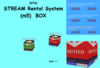

[eXe] Stream Rental System M5 (box) Monthly Time Meter
We have organized a Rental box for you to use with pleasure.
[eXe] STREAM Rental System (m5) Time Meter Box
[eXe] STREAM Rental System (m5) Time Meter double sided Panel
[eXe] STREAM Rental System (m5) BOX Time Meter UPDATER
the dimensions of the box and panel remain the dimensions you set.
For a 4-Monthly rental, the set amount can be discounted.
Time panel provides daily progress.120 Days
*******
The scripts don't use external resources and are independent from any external services,
so there is no danger that they suddenly stop working.
*********
what can be done?
NO HOVERTEXT
there will be no Hover text on the box before and after the rental. when the box is touched, a notecard and a Instant message will be sent.
just visually at the bottom will be the time meter.
RESET
remove the box, put it where you will use it. edit config nc, tap on the box, click on “reset” from the menu that comes up. after any editing, click on reset.
while there is a tenant you can edit, you can inventory, the tenant is not deleted and the time runs.
For the partner share you set in CONFIG NC, you will receive a money transfer warning. Click on "Allow Access"
STREAM NC
you will give this notecard to the stream renters.
add all flow information to this notecard.
Only the designated payer can receive this notecard.
ADD TIME
No Add Time
If an additional payment is made, the payment is returned with the information that no payment can be made.
INFO
The info button gives 2 different notecards. 1 rental info is given to every touch. 1 tenant info is given to the renter. also a landmark is given.
LOCKED
Locks the rent box and shows a blank menu for those who want to pay.
UNLOCKED
unlocks the rent box and makes it ready for use.
EMAIL
you will receive notifications about new rentals.
SPLIT
There are 3 line fields. your partner's uuidkey + name + commission share.
If you are not going to give commission, clear these three fields, make the split field “0.0”.
partnerKey:14cbf036-8e8a-4d9b-91d6-a8f881102d40
partnerName:Sardine
cut:0.10
BOX POSITIONS
put the box in place, edit it, reset it. click on “box positions”. move the box to where you want the box to be after the rental and tap on the box. the box will go where you first put it. when the rental is done, it will go to the destination you show. it will stay there until the rental is finished. click on reset to exit this setting.
RESERVED
you can reserve the box for someone else without him/her being present. click on the reserved button and type the name and surname of the local avatar without mistakes. when that avatar arrives, he/she can rent. if someone else wants to pay rent, he/she will be warned and refunded. if you misspell the name of the reserved avatar, he/she will not be able to rent in that avatar.
when the booked avatar pays, they receive the streaming notecard.
no stream notecard is given when reserved.
RELEASE
You can remove the tenant from the tenancy at any time with this button.
HOVERTEXT
0 / 1
Video link:
https://www.mediafire.com/file/wicioeikrz6tqml/2025-01-21_21-17-49.mp4/file
You can come to our store to see, examine and test.
Ver el artículo en Second Life
![[eXe] Greeter collision 1H. BOX * greeting mall shop shopping store hud](https://slm-assets.secondlife.com/assets/30853379/view_small/greeter%201%20saat.jpg?1641410021)
![[eXe] Rental System Box (M1) Rentbox for Rent](https://slm-assets.secondlife.com/assets/31968893/view_small/mod11.jpg?1660423258)
![[eXe] Rental system box (M4+) Rentbox for Rent box Rental Rentals](https://slm-assets.secondlife.com/assets/32308767/view_small/RENTAL%20SYSTEM%20M4.jpg?1666463932)
![[eXe] One item vendor (sticks)](https://slm-assets.secondlife.com/assets/30853617/view_small/one%20item%20vendor2.jpg?1641412170)
![[eXe] Stream Rental System Box (M1) Stream vendor Rentbox for Rent vend](https://slm-assets.secondlife.com/assets/31199253/view_small/stream.jpg?1646772760)
![[eXe] Security System (Orb+Panel) BOX](https://slm-assets.secondlife.com/assets/30949330/view_small/exe%20security.jpg?1642932218)
![[eXe] Folder giver vendor Script + vendor](https://slm-assets.secondlife.com/assets/30957946/view_small/Folder%20giver%20vendor%20lsl.jpg?1643055250)
![[eXe] GREETER HUD Wear and Rezz](https://slm-assets.secondlife.com/assets/31127994/view_small/greeter%20hud.jpg?1645645440)